Know whether a new flaw affects what you shipped

A flaw makes the news and a customer, an operator or a regulator asks whether your devices are affected. FDIE keeps the components of each release you analysed, checks the latest release of every supported product against new vulnerability data every day and tells you which products are affected, known exploited flaws first.

Request access
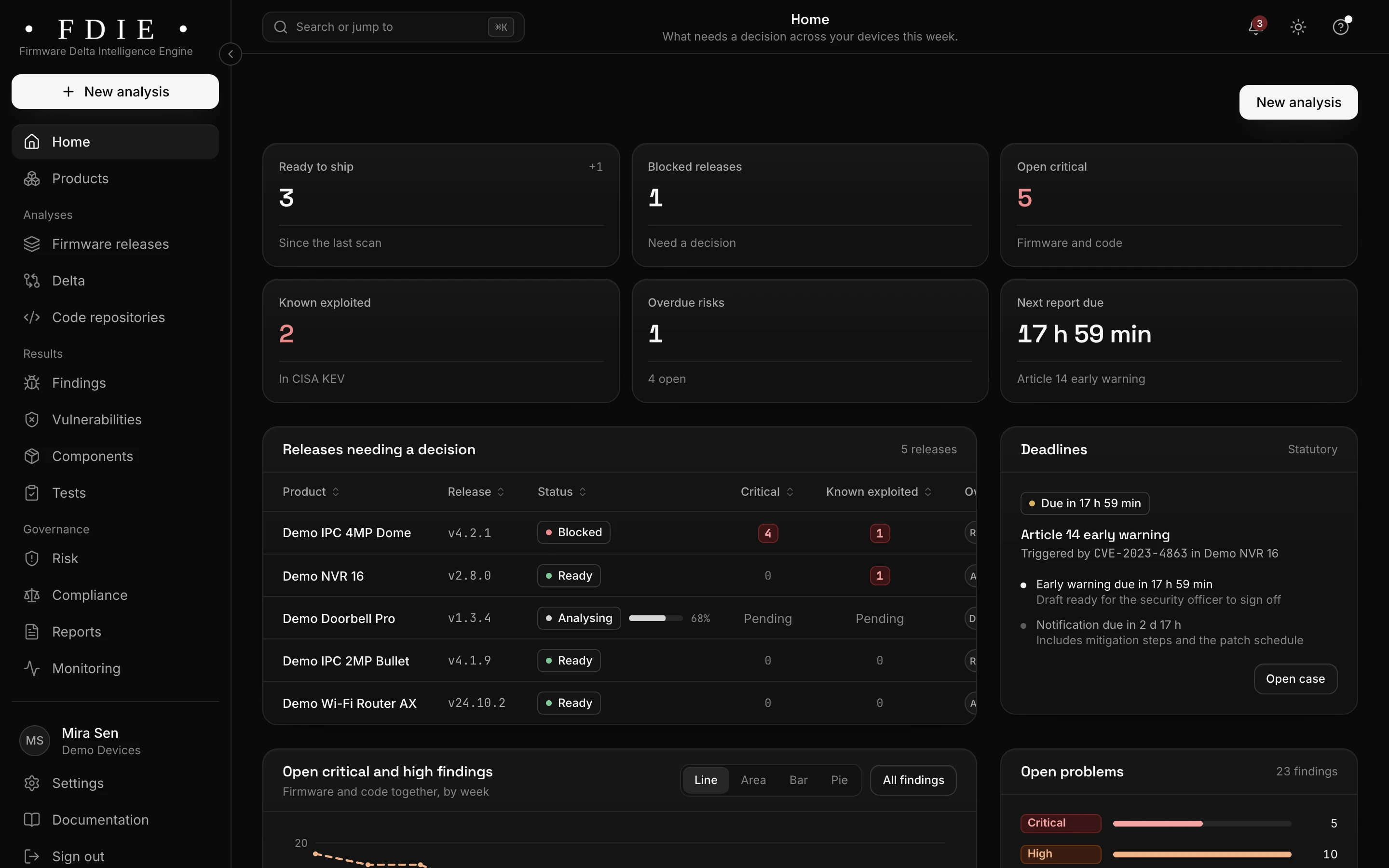
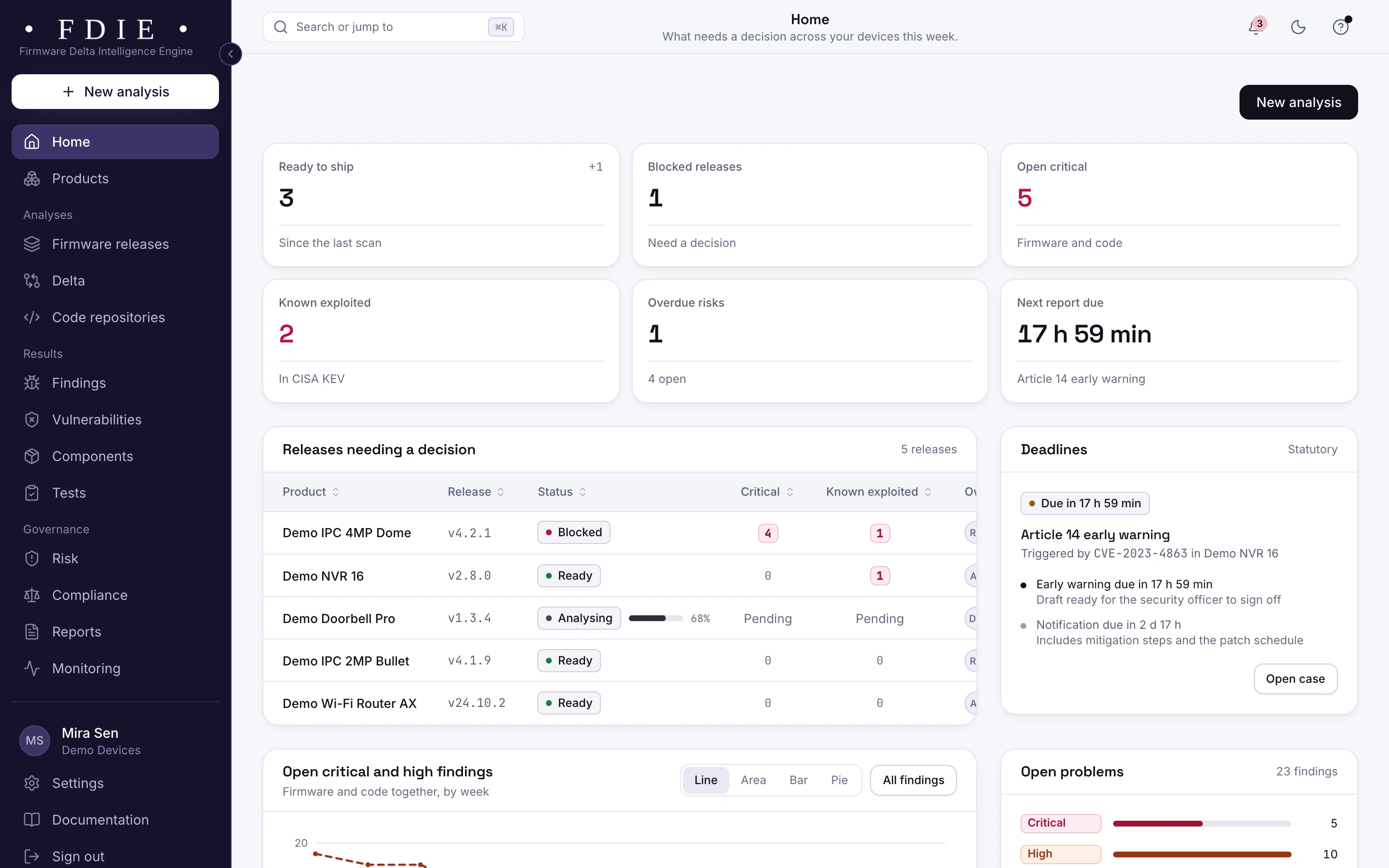
The FDIE by Magdox home dashboard: tiles for releases ready to ship, blocked releases, open critical findings, known exploited vulnerabilities, overdue risks and the next report due, a table of releases needing a decision, and an Article 14 early warning deadline with its notification clock.The same screen in the light theme.
The home dashboard: releases to decide, known exploited flaws and an Article 14 clock, shown with the app's sample organisation.

The challenge

Why "are we affected?" takes days

  • Devices stay in the field for years

    Cameras and routers stay installed long after launch, across many firmware versions. Answering for each one means knowing what every release contains.

  • Too many advisories, too little signal

    New vulnerabilities are published every day, and most do not matter to a given device. Teams need to know which are exploited and which reach their code.

  • Reporting clocks are short

    For products sold in the EU, the EU CRA gives 24 hours for an early warning of an actively exploited vulnerability. In India, CERT-In's directions set 6 hours for reporting cyber incidents.

How FDIE helps

What changes with FDIE

Supported products checked every day

The latest analysed release of each product still in its support period, and each repository's latest scan, are matched against new data from NVD, OSV, CISA KEV and EPSS every day. When a new match appears, you get an alert by email, Slack, Microsoft Teams or a signed webhook.

  • The support period you record decides how long a product is watched
  • Webhooks signed with HMAC SHA-256 for your own systems
  • Quiet hours from 22:00 to 07:00 India time, never for known exploited flaws
Monitoring and alerts
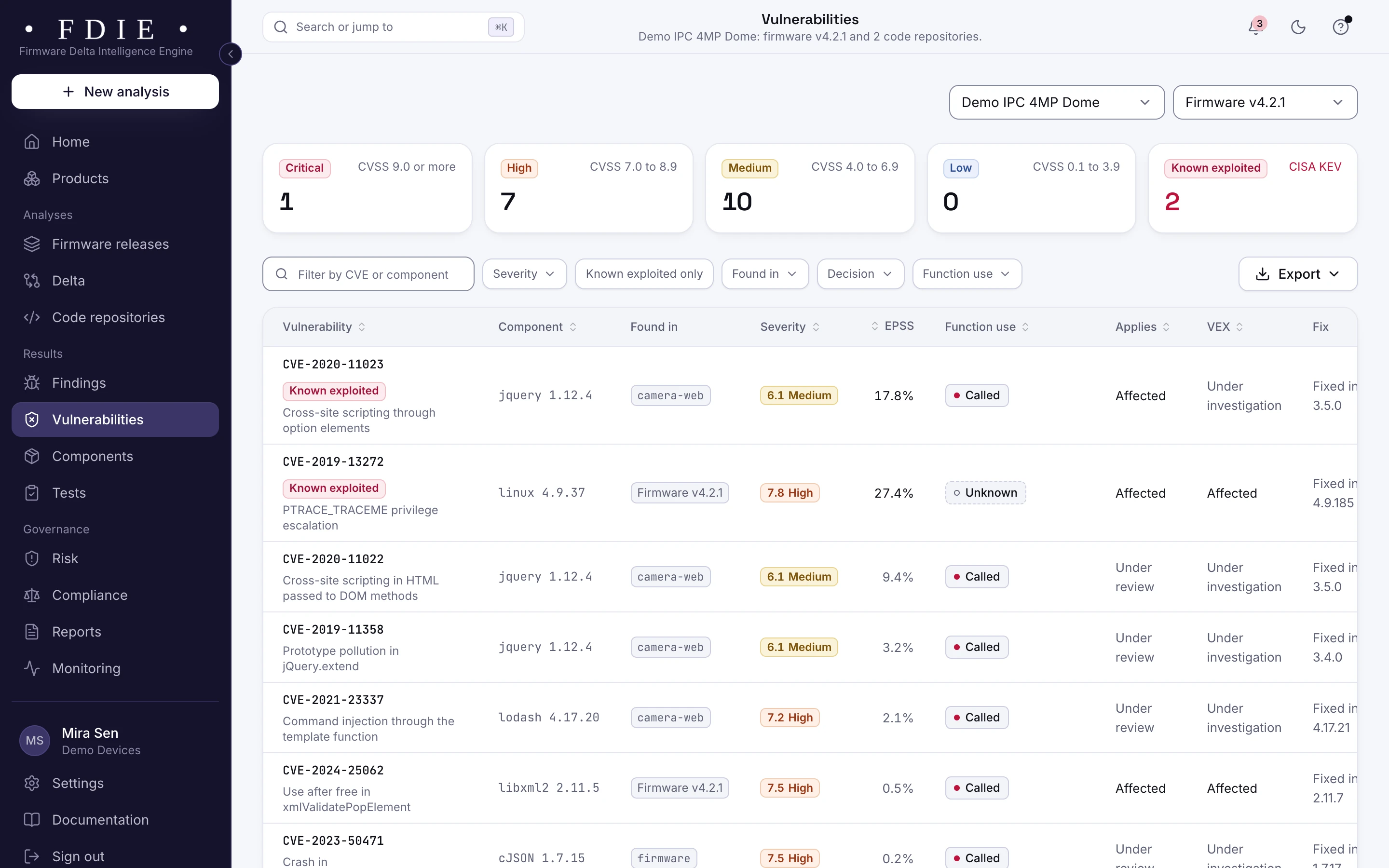
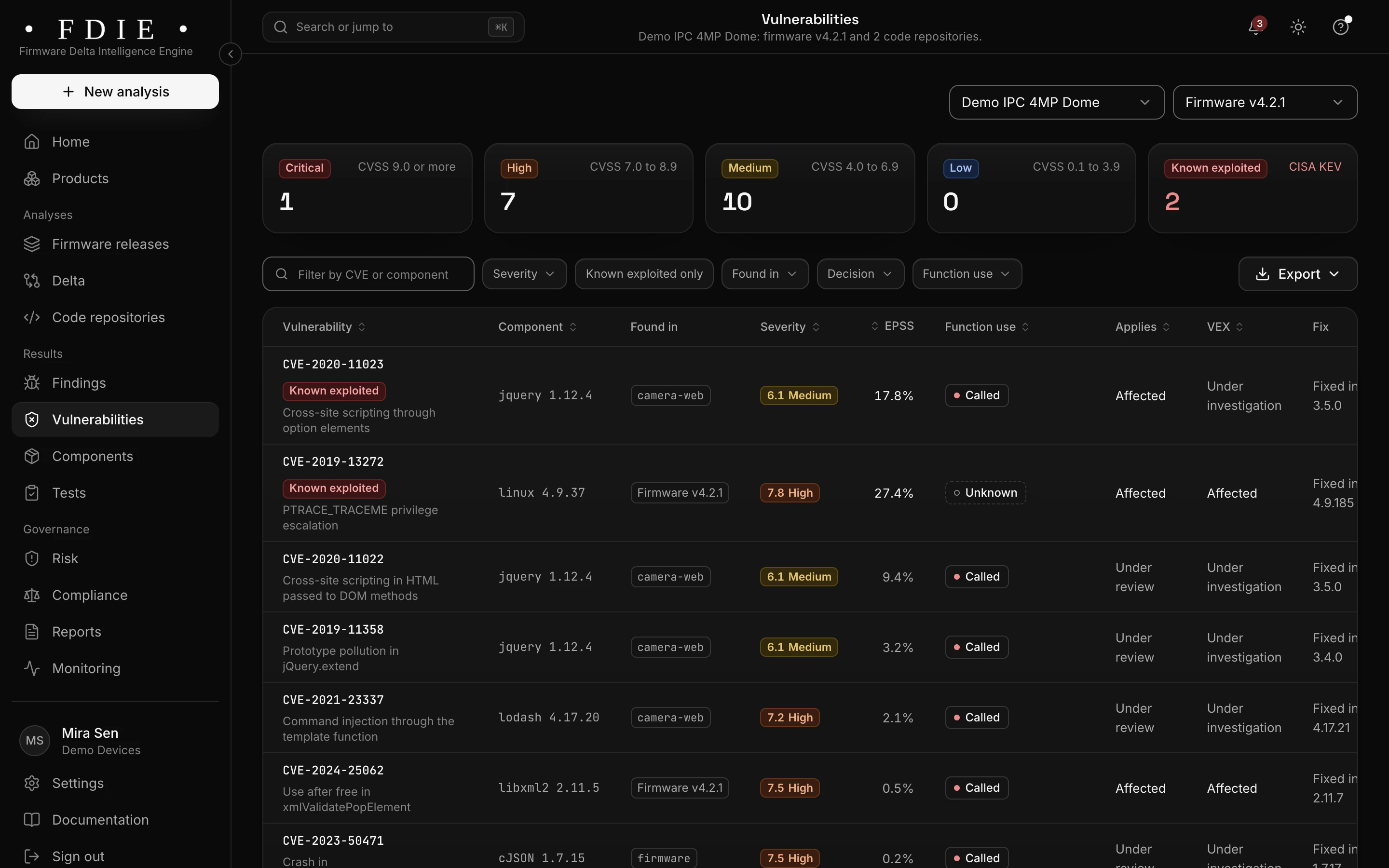
The vulnerabilities list: one row per CVE with the affected component, where it was found in firmware and code repositories, severity, EPSS probability, whether the product calls the vulnerable function, applicability, VEX status and the version that fixes it, with known exploited entries from CISA KEV marked.The same screen in the light theme.

Exploited flaws first, and a gate that holds

Vulnerabilities in the CISA Known Exploited Vulnerabilities catalogue are marked and sorted first, with EPSS and function use to rank the rest. Your release gate can hold a new release that carries one, with the reasons listed for whoever decides.

  • Known exploited entries marked from CISA KEV
  • Function use and EPSS to rank the rest
  • Ship or hold, with the reasons and the sign-offs
Vulnerabilities in detail
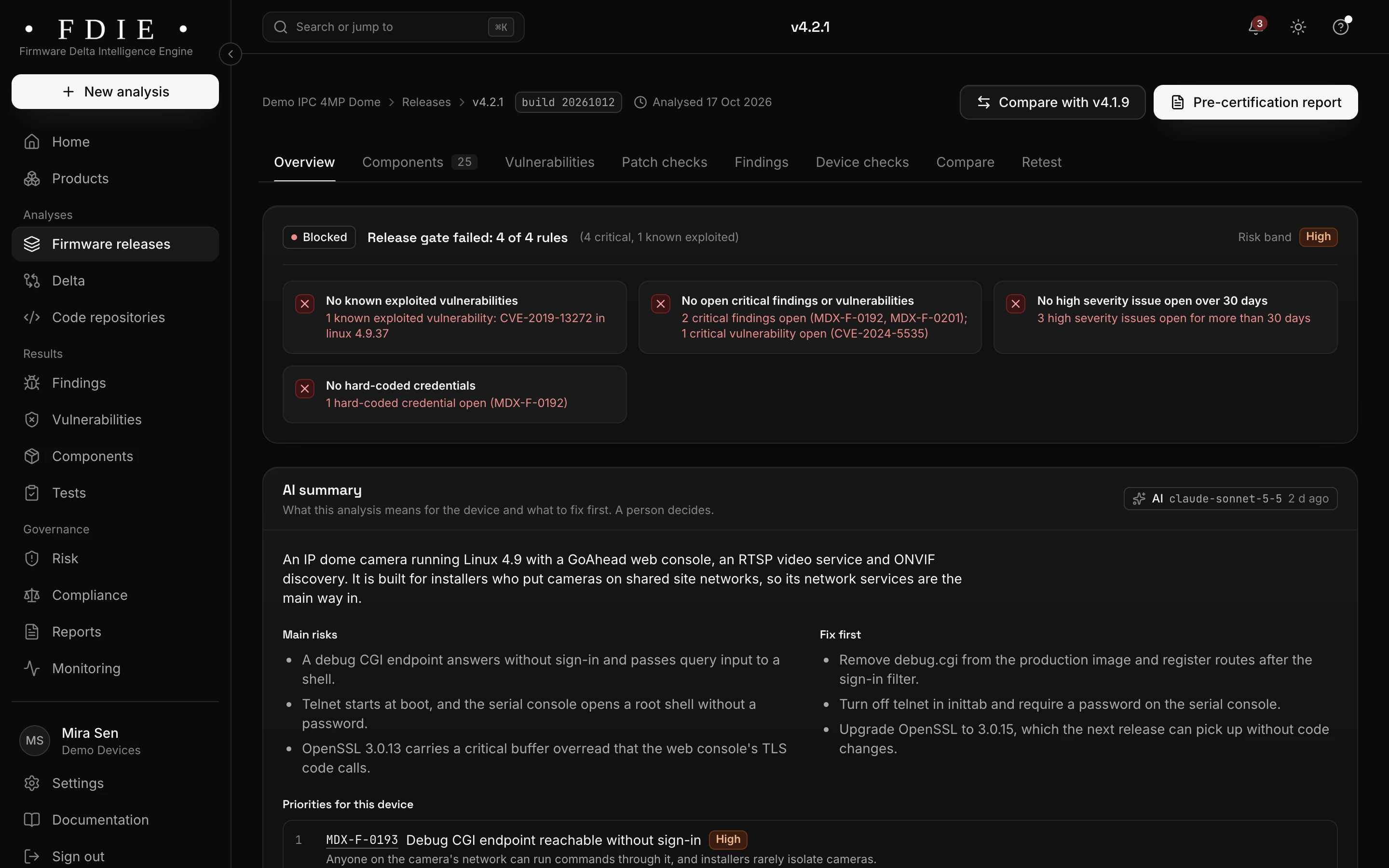
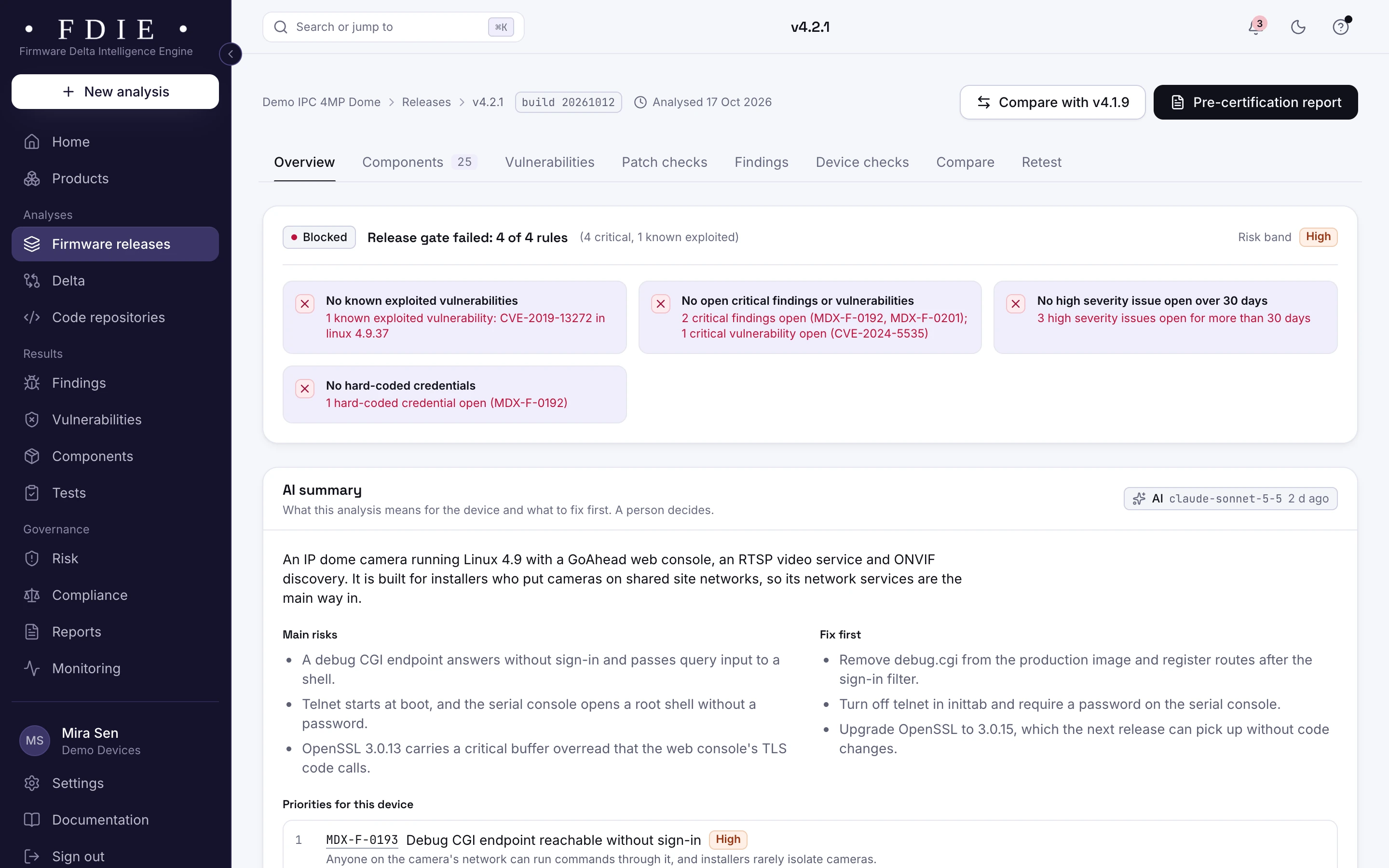
A firmware release overview for camera firmware v4.2.1: the release gate blocked on four rules, among them one known exploited vulnerability and critical findings, severity counts compared with the previous release, what is inside the image (components, binaries, file systems, kernel version) and the coverage gaps the analysis could not check.The same screen in the light theme.

Article 14 clocks, for products sold in the EU

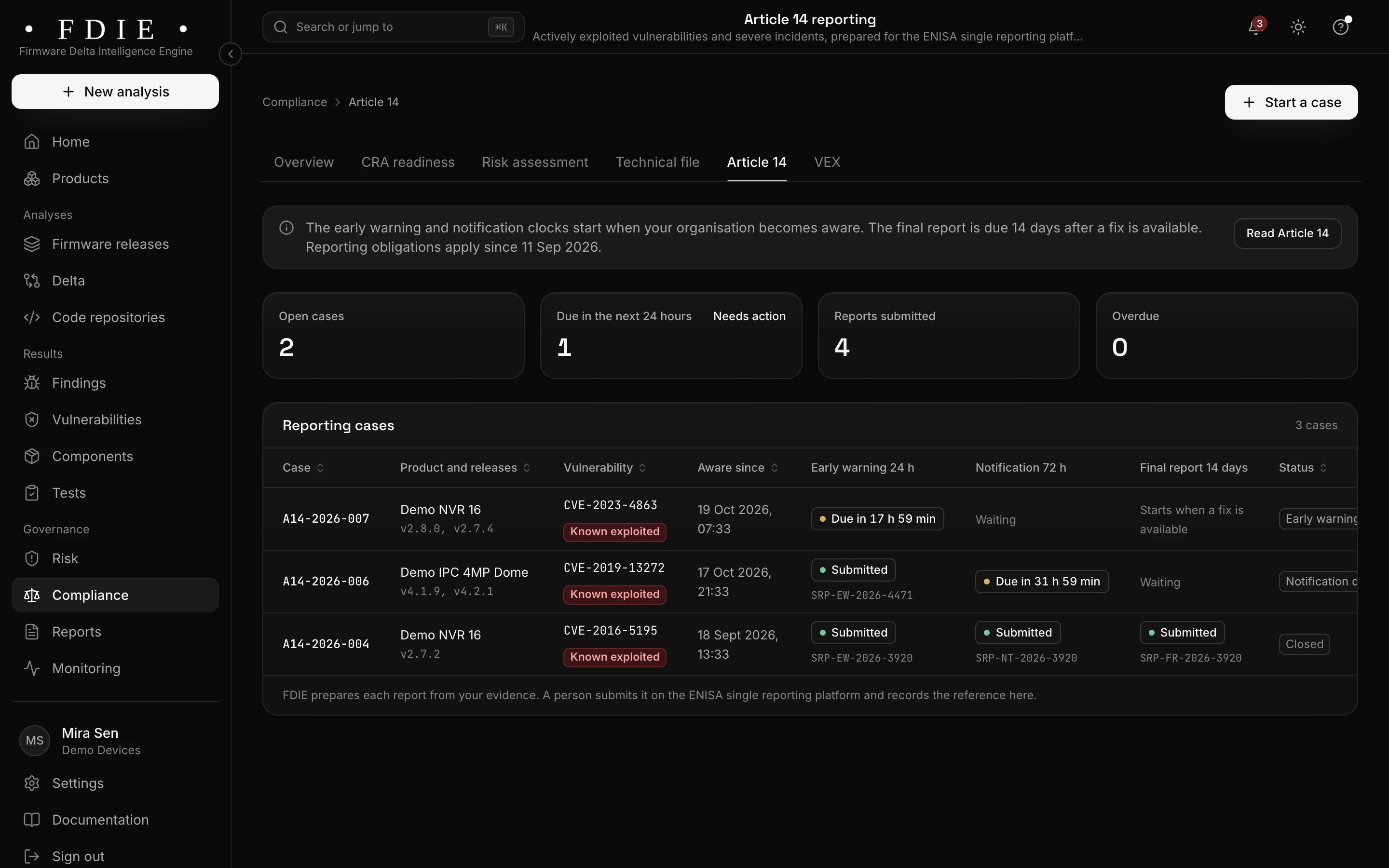
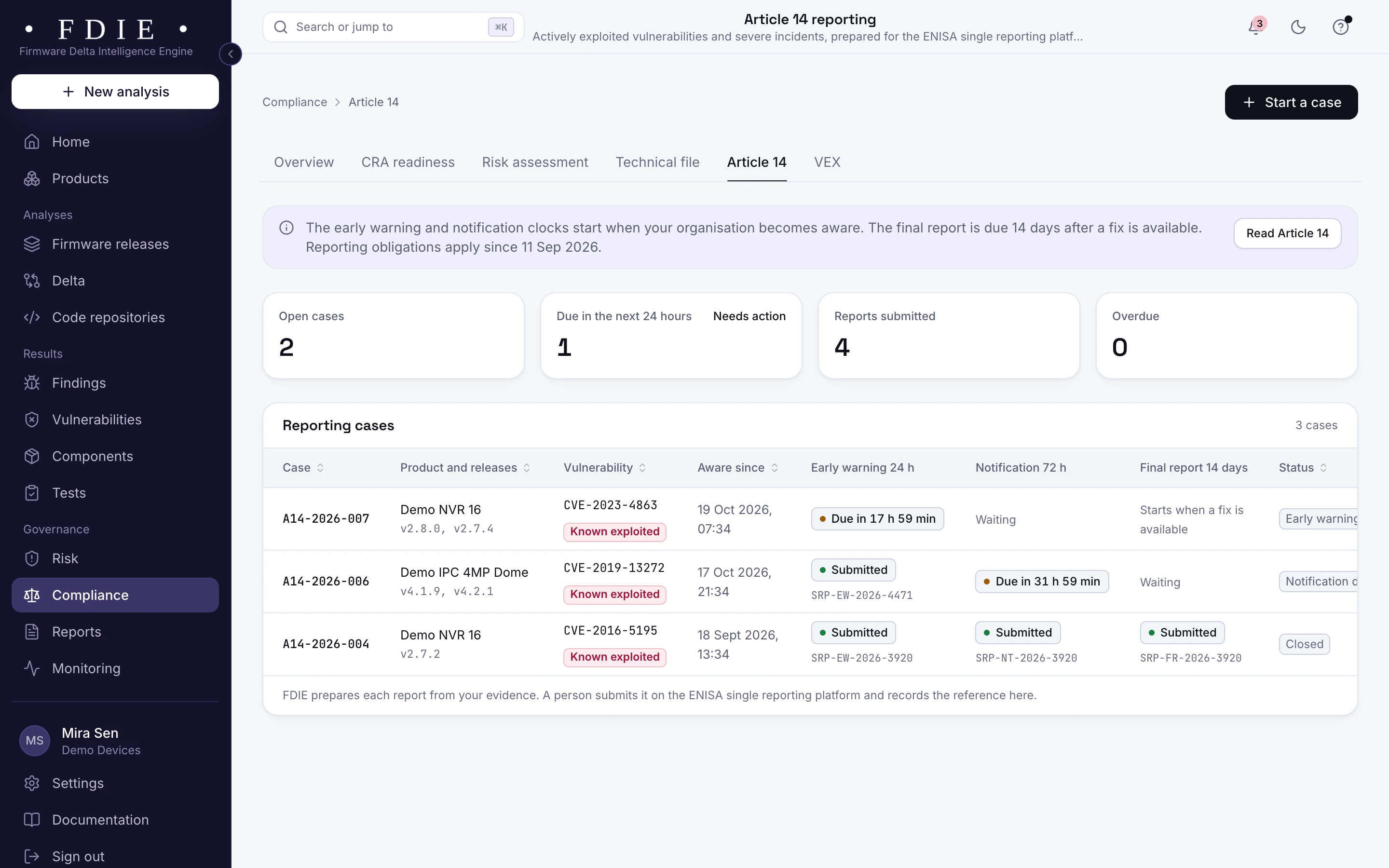
From the moment you record that you are aware of an actively exploited vulnerability, the 24 hour, 72 hour and 14 day reporting clocks run in the app. FDIE prepares the content of each report; a person on your team approves it, sends it through the official channel and records the reference.

  • Early warning, notification and final report clocks
  • Report content prepared from what the app already holds
  • Every report sent by a person, never by FDIE
EU CRA Article 14 reporting
Article 14 reporting: open cases, reports due in the next 24 hours, reports submitted and overdue, and a table of cases for known exploited vulnerabilities with the early warning, notification and final report clocks and the references recorded after a person submitted each report.The same screen in the light theme.

From advisory to an owned risk

Turn a matched advisory into a risk in one step, with an owner and a due date that is shorter when the flaw is known exploited. The risk register is never deleted, and accepting a risk takes a second person with a reason and a compensating control.

  • Owners, severities and due dates in one register
  • Overdue risks on the home dashboard
  • A retest report once the fix ships
Risk and release decisions
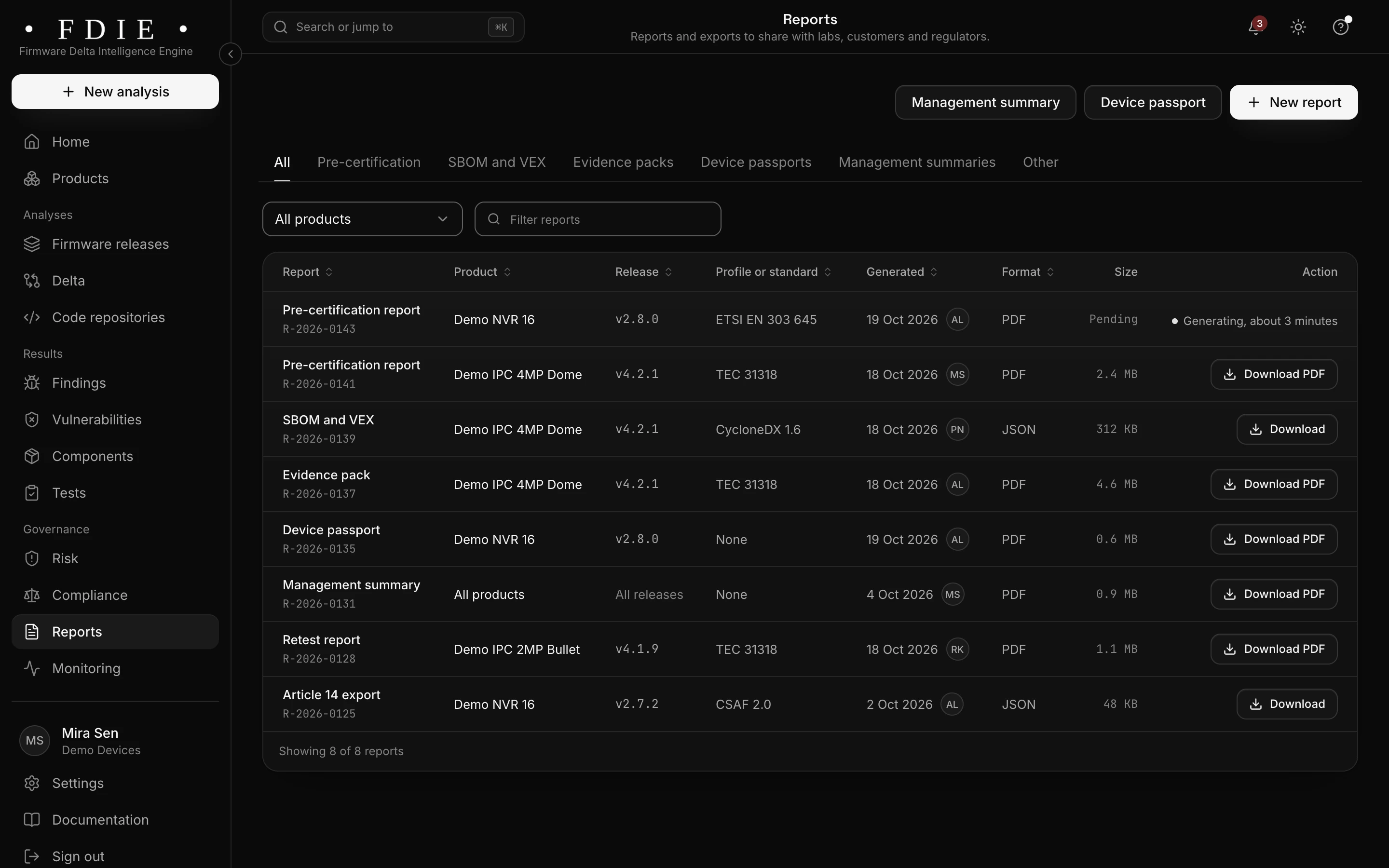
The reports list: pre-certification reports, SBOM and VEX, an evidence pack, a device passport, a management summary, a retest report and an Article 14 export, each with its product, release, standard, date, format and a download button.The same screen in the light theme.

How it works

From firmware image to evidence in four steps

  1. 1

    Analyse what you ship

    Upload each release, or let CI send it, and record the product's support period and the markets it is sold in.

  2. 2

    Matched every day

    FDIE matches the latest release of each supported product against new vulnerability data every day.

  3. 3

    Alerted and ranked

    New matches arrive by email, chat or webhook, known exploited flaws first, with the affected products named.

  4. 4

    Decide, fix and report

    Record VEX or open a risk, ship the fix, verify it with a release comparison and, for products sold in the EU, send the Article 14 reports your team approved.

Rules by market

Rules this helps with

EU CRA Article 14 reporting has applied to products sold in the EU since 11 September 2026, including products placed on the market earlier. In India, CERT-In's directions require cyber incidents to be reported within 6 hours. UK PSTI, ETSI EN 303 645 and TEC 31318 ask for a published way to report vulnerabilities.

Compliance by market

India

  • TEC 31318

    Voluntary code for consumer IoT, Release 2.0 of November 2025

EU and UK

International

Evidence and gap finding, not certification: the lab or certification body decides.

Deliverables

What your team gets

  • Alerts where you work

    Email, Slack and Microsoft Teams, with known exploited flaws never held by quiet hours.

  • Signed webhooks

    Events for your ticketing or on-call system, signed with HMAC SHA-256.

  • Article 14 export

    The content of each report for products sold in the EU, for your team to approve and send.

  • Risk register

    Owners, due dates and two-person acceptance, kept for good.

  • VEX statements

    Your answer when a vulnerability does not affect a product, in CycloneDX, OpenVEX or CSAF 2.0.

  • Retest report

    Proof that the next release fixed what the alert found.

Questions

How often are shipped releases checked?

Every day. The latest analysed release of each product still in its support period, and each repository's latest scan, are matched against new data from NVD, OSV, the CISA Known Exploited Vulnerabilities catalogue and EPSS.

Can alerts wait for working hours?

Yes. Quiet hours hold alerts from 22:00 to 07:00 India time, except for known exploited vulnerabilities.

Does FDIE send our EU CRA Article 14 reports?

No. For products sold in the EU, FDIE tracks the clocks and prepares the content; a person on your team approves it and sends it through the official channel.

Do we have to upload old releases again?

No. Releases you already analysed are kept, and monitoring reuses their analysis. Only a new release counts as a new analysis.

Can alerts reach our own ticketing system?

Yes, through webhooks signed with HMAC SHA-256, which your ticketing or on-call system can receive. Email, Slack and Microsoft Teams are connected in the app's settings.

Find out what the lab would flag in your firmware

A 45-minute call with our team. Bring one firmware image.

Request access