Find what the test lab would flag, before you submit

A failed lab test costs weeks and a new slot in the lab's queue, and the report often points at code your team never wrote: a default password in the SDK, an old OpenSSL, a serial shell left open. FDIE reads your firmware image before the lab does and shows you those problems first, with the evidence your engineers need to fix them.

Request access
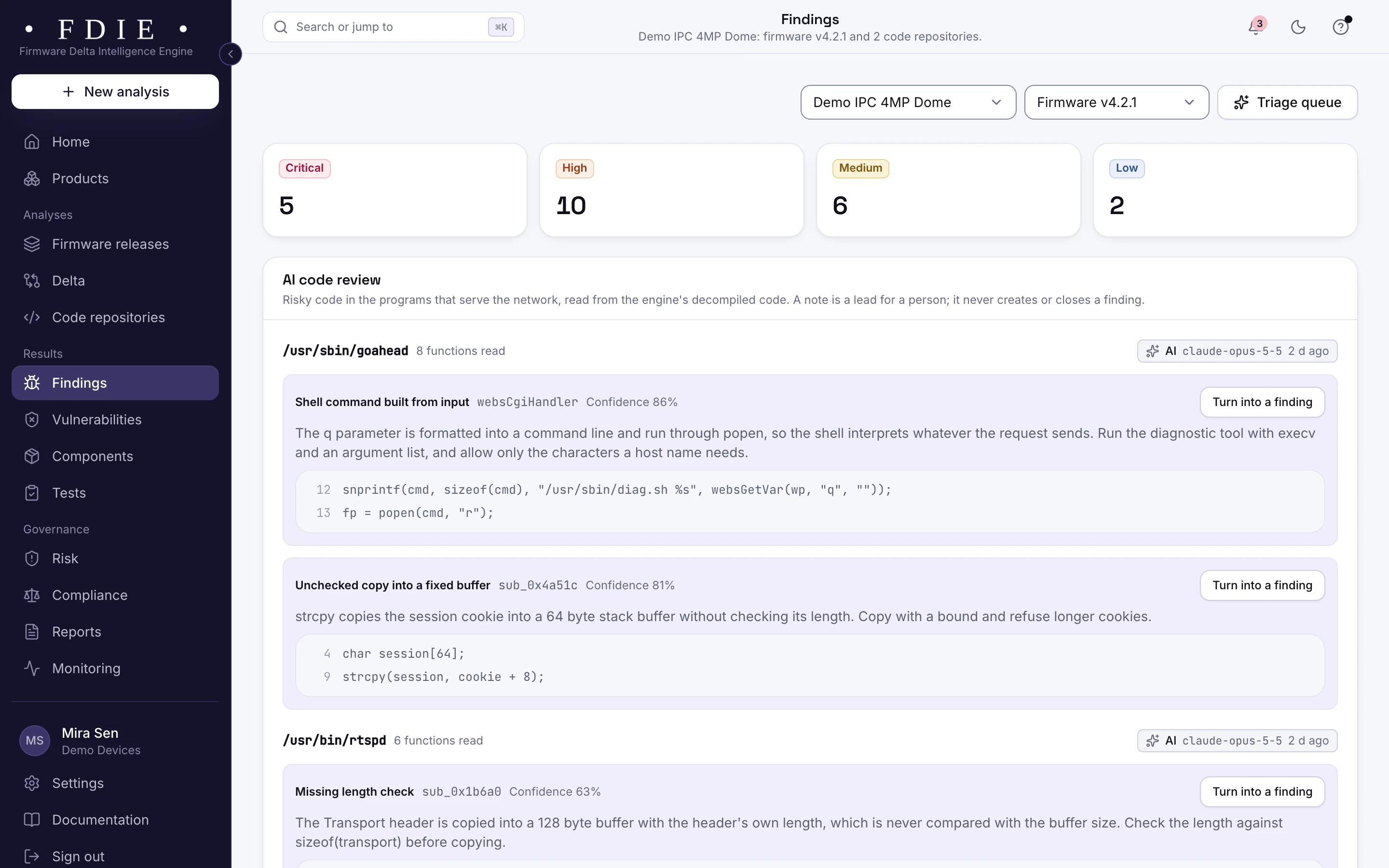
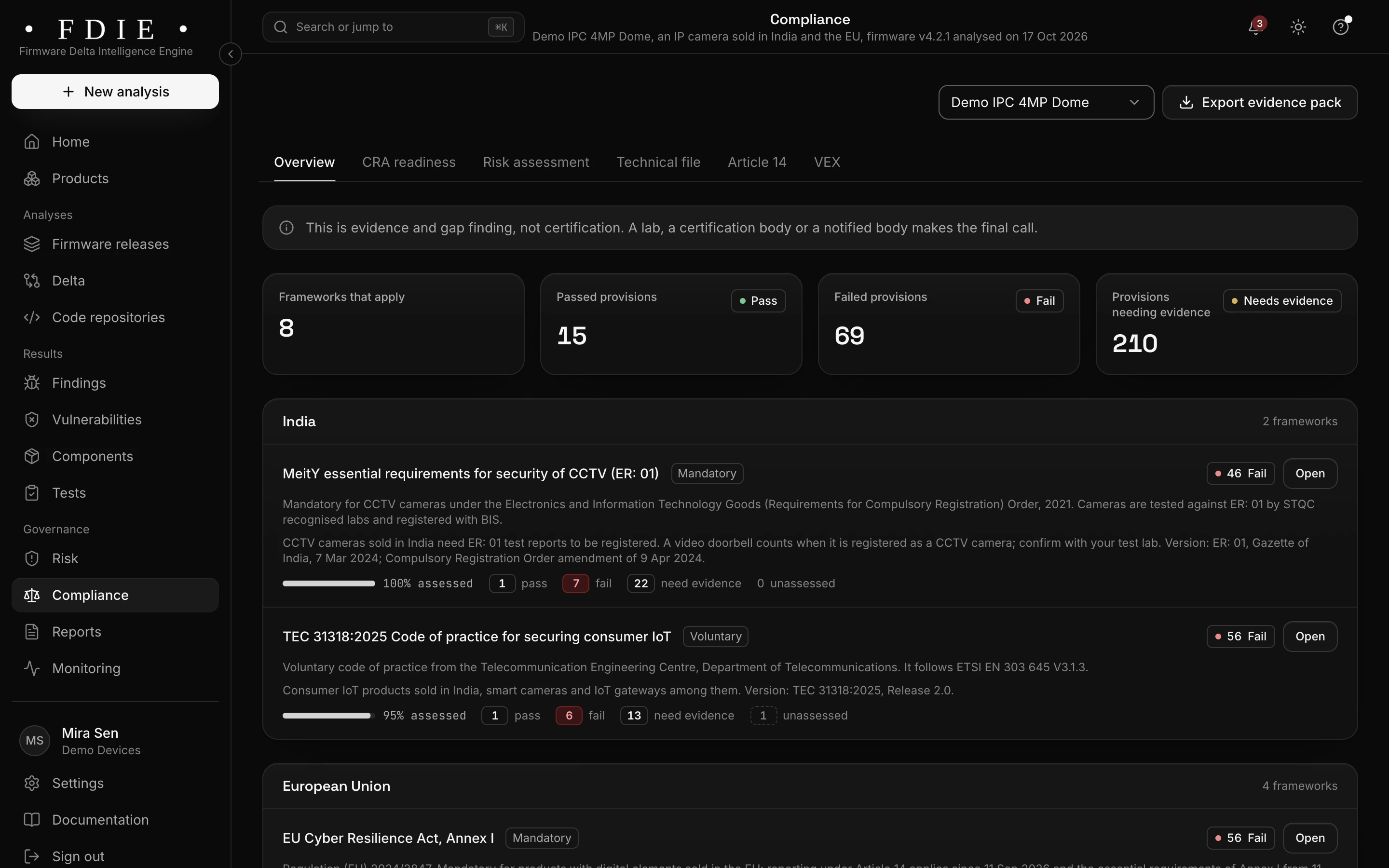
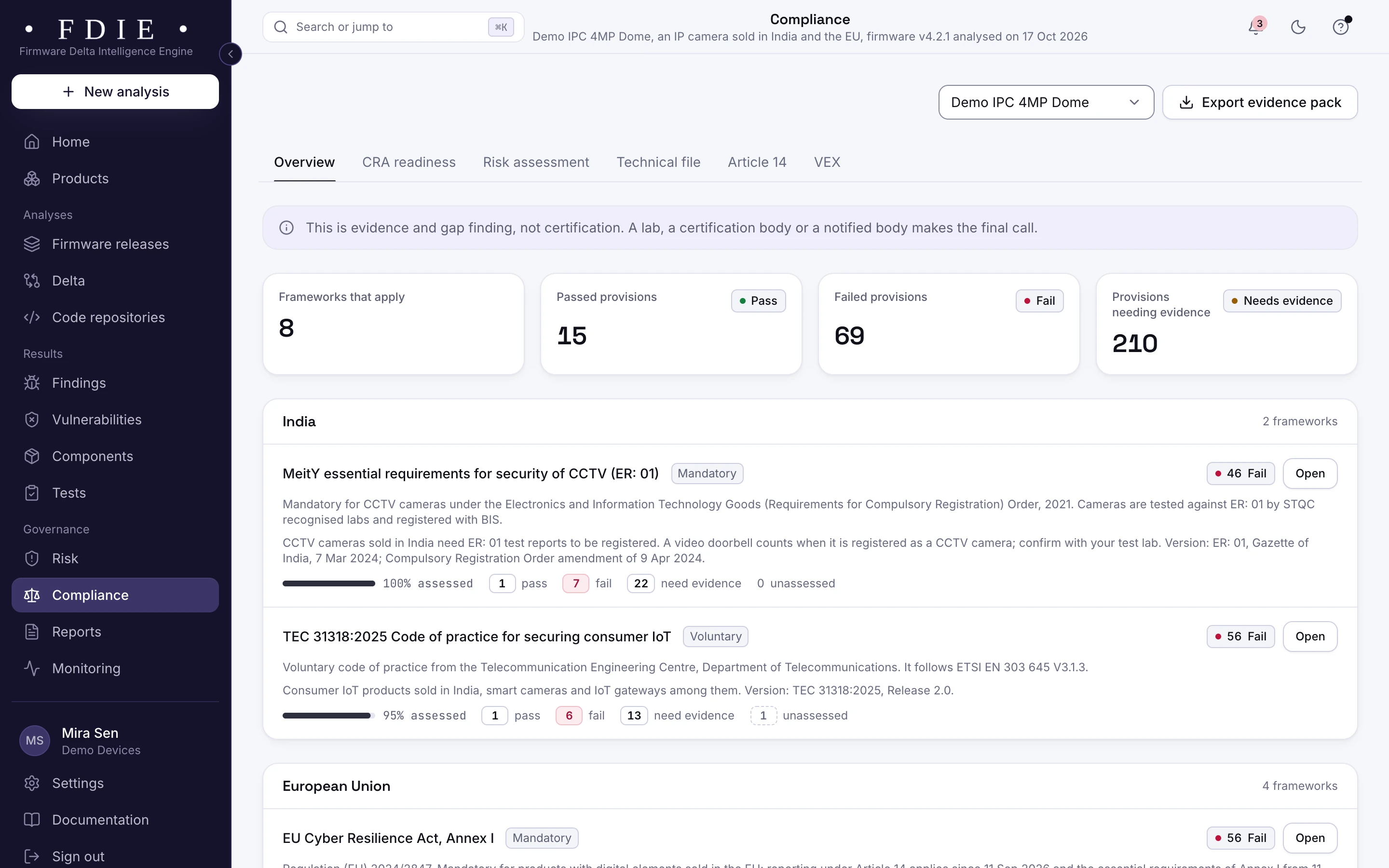
The compliance overview for one release of an IP camera sold in India, the EU, the UK and the US: frameworks that apply, passed and failed provisions and provisions needing evidence, and the frameworks by market, starting with MeitY ER-01 and TEC 31318 for India, each with its assessed share, under a note that this is evidence and gap finding, not certification.The same screen in the light theme.
The compliance overview for one camera release, shown with the app's sample organisation.

The challenge

Why firmware fails at the lab

  • Findings in code you never wrote

    Most of an image comes from the chip vendor's SDK, open source and contractors. A lab report that cites an old library or a vendor's default account lands on your team all the same.

  • Late surprises cost a test cycle

    A problem found at the lab means a fix, a new build and a new slot. Every round pushes back the launch and the revenue behind it.

  • Each market asks in its own words

    ER-01 and ITSAR in India, EN 18031 and the EU CRA for products sold in the EU, PSTI in the UK. Each wants evidence against its own provisions, and few teams have time to map them all.

How FDIE helps

What changes with FDIE

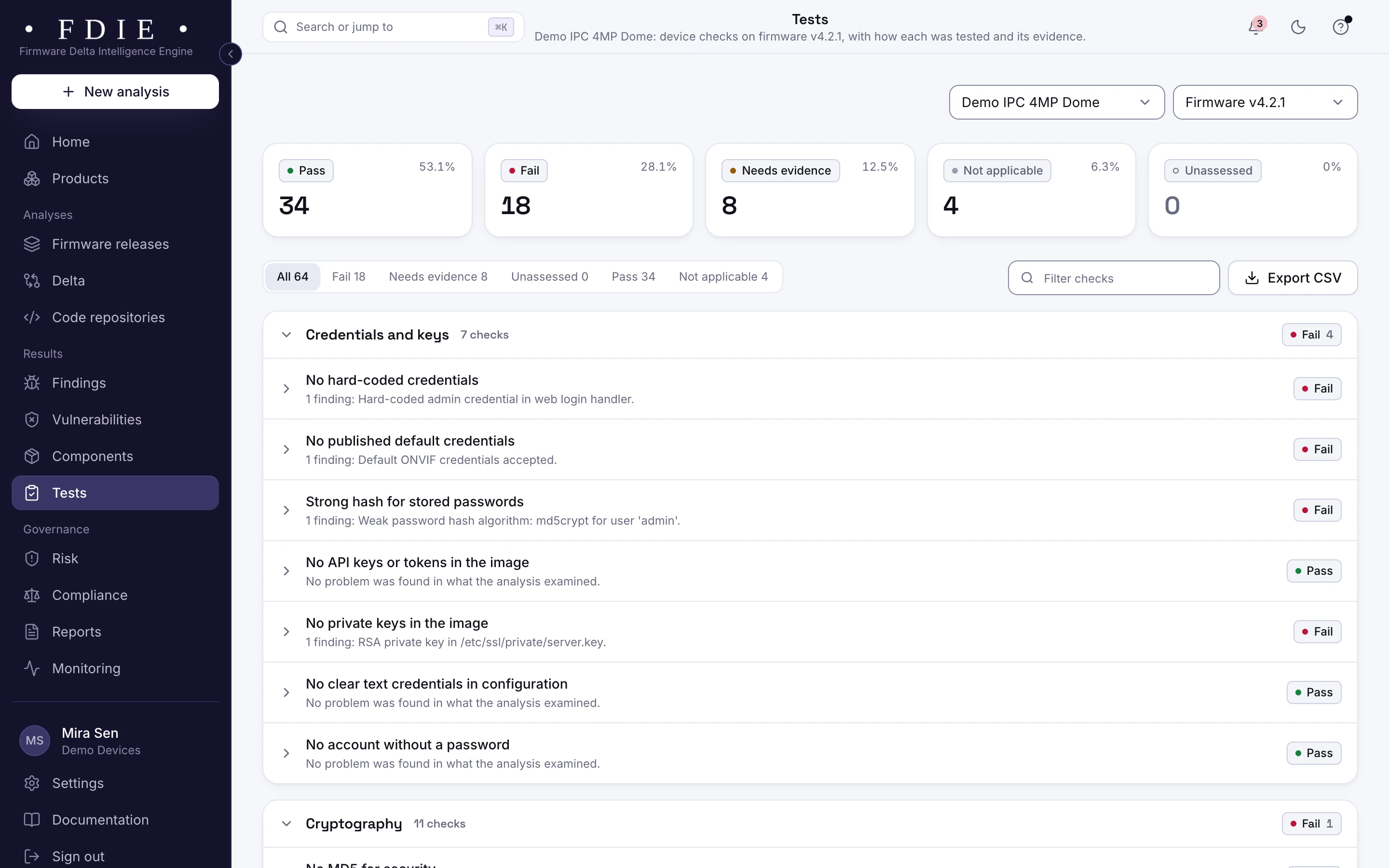
Device checks, grouped like lab requirements

Every release runs FDIE's device checks for credentials and keys, cryptography, binary hardening, secure boot, updates, attack surface, known vulnerabilities and the web interface. A check passes only when every test behind it ran clean. When the image cannot decide, the check says what evidence it needs instead of passing quietly.

  • Passed, failed, needs evidence or not applicable, with the finding behind each result
  • Each check mapped to the provisions of the frameworks you sell under
  • Coverage gaps listed, never counted as a pass
How device checks work
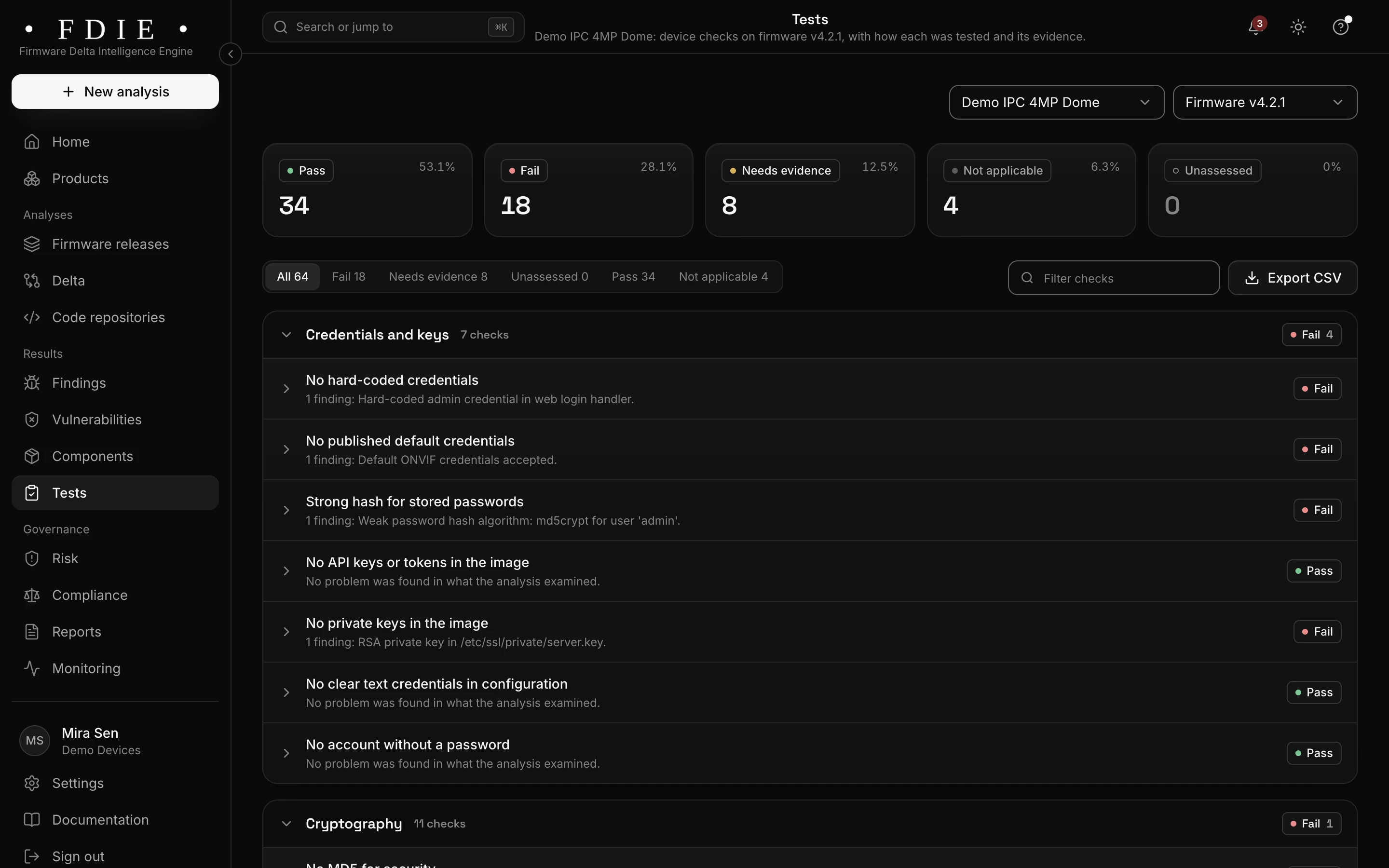
Device checks for one firmware release: all 64 checks counted as passed, failed, needs evidence, not applicable and unassessed, and the credentials and keys group with each check and what was found, for example a hard-coded admin credential, default ONVIF credentials and an MD5 crypt password hash.The same screen in the light theme.

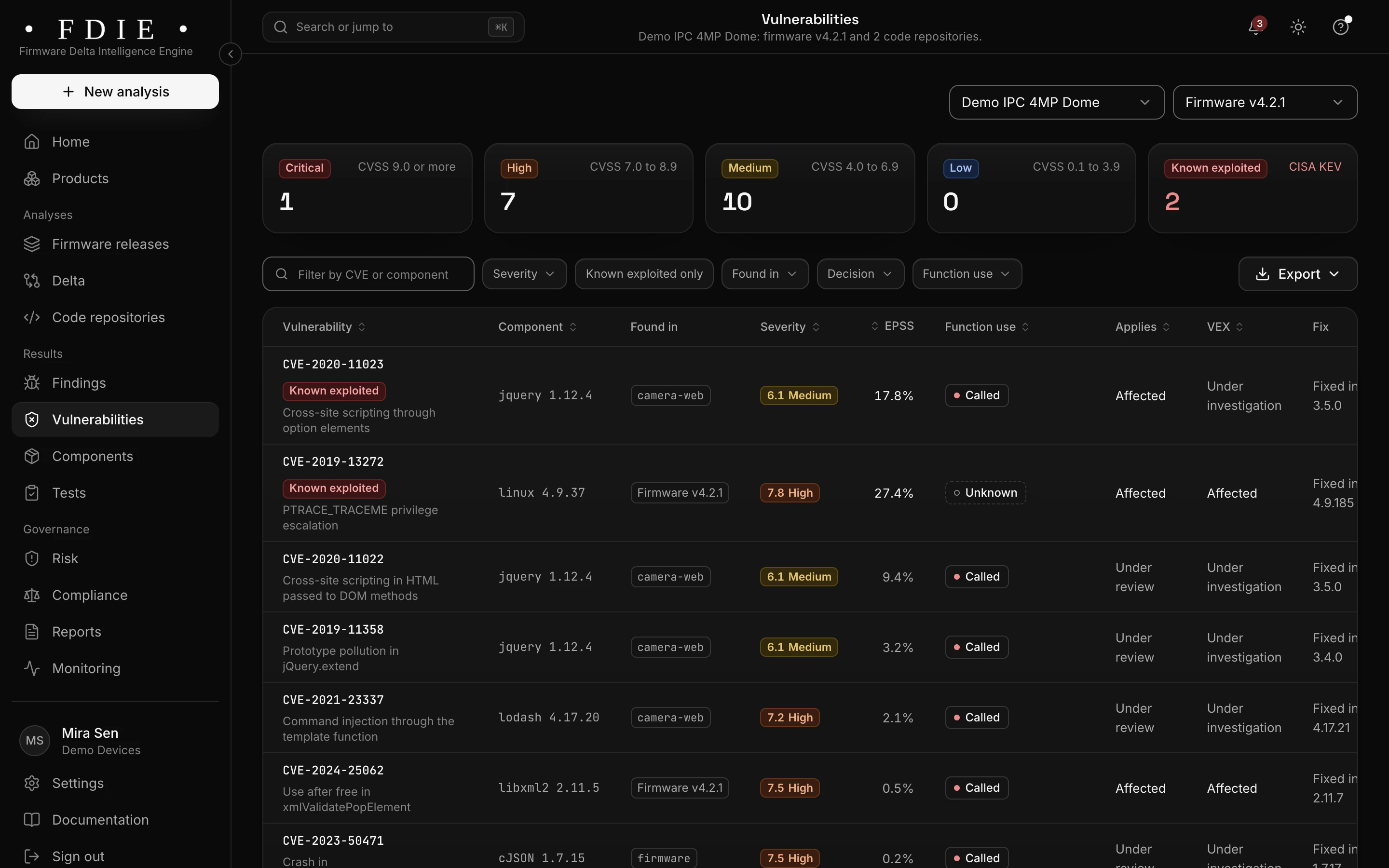
Known exploited flaws at the top of the list

Every component is matched to NVD and OSV and ranked with the CISA Known Exploited Vulnerabilities catalogue and EPSS. Function use shows whether your programs call the vulnerable function, so your engineers start with the flaws your code actually reaches.

  • Known exploited vulnerabilities marked from CISA KEV
  • The version that fixes each vulnerability
  • VEX statements for the ones that do not apply
Vulnerabilities in detail
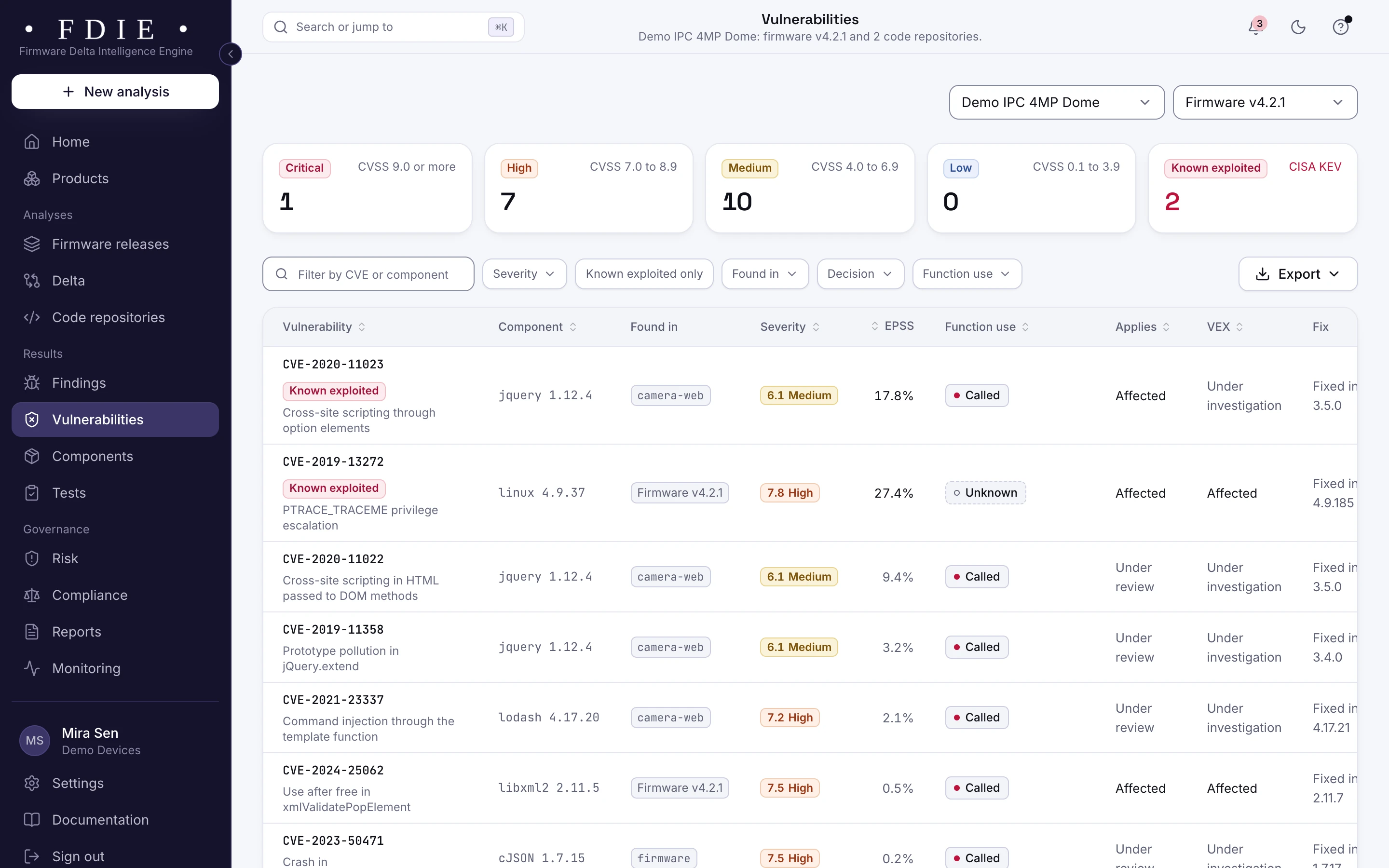
The vulnerabilities list: one row per CVE with the affected component, where it was found in firmware and code repositories, severity, EPSS probability, whether the product calls the vulnerable function, applicability, VEX status and the version that fixes it, with known exploited entries from CISA KEV marked.The same screen in the light theme.

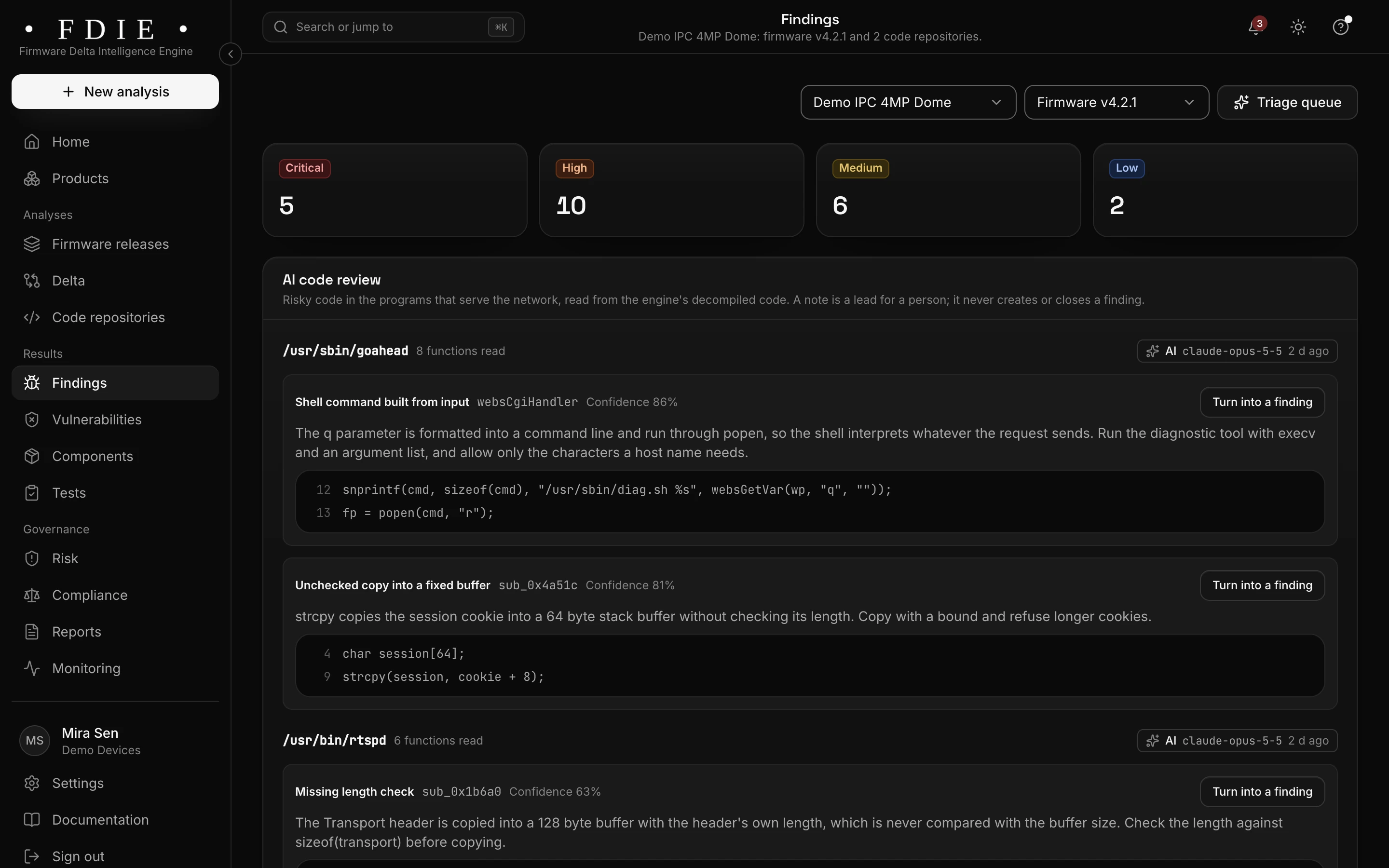
Default passwords and keys, found first

Hard-coded passwords, private keys, API tokens, empty passwords and weak password hashes are found in binaries, scripts and configuration. Evidence is masked before results leave the engine, so a secret is never shown in full, even to your own team.

  • Default and hard-coded accounts, with the file they sit in
  • Private keys shared by every unit flagged
  • Weak algorithms and short RSA keys in the crypto inventory
Passwords and keys
The findings list for one product, combining firmware and code: severity tiles, tabs for firmware, code, secrets and configuration, and rows such as a hard-coded admin credential in a web login handler and command injection in a firmware upload handler, each with its location, the releases it was seen in, an owner and a status.The same screen in the light theme.

A release gate that holds a risky build

Your release rules say ship or hold, with the reasons. A CI token lets your pipeline upload each build and fail on the gate, so a release with a known exploited flaw, an open critical finding or a hard-coded password does not reach the lab by accident.

  • Ship or hold, with engineering, security and product sign-offs
  • A ready step for Jenkins, GitHub Actions, GitLab CI, Azure DevOps and Bitbucket
  • Accepting a risk takes a second person
The release gate
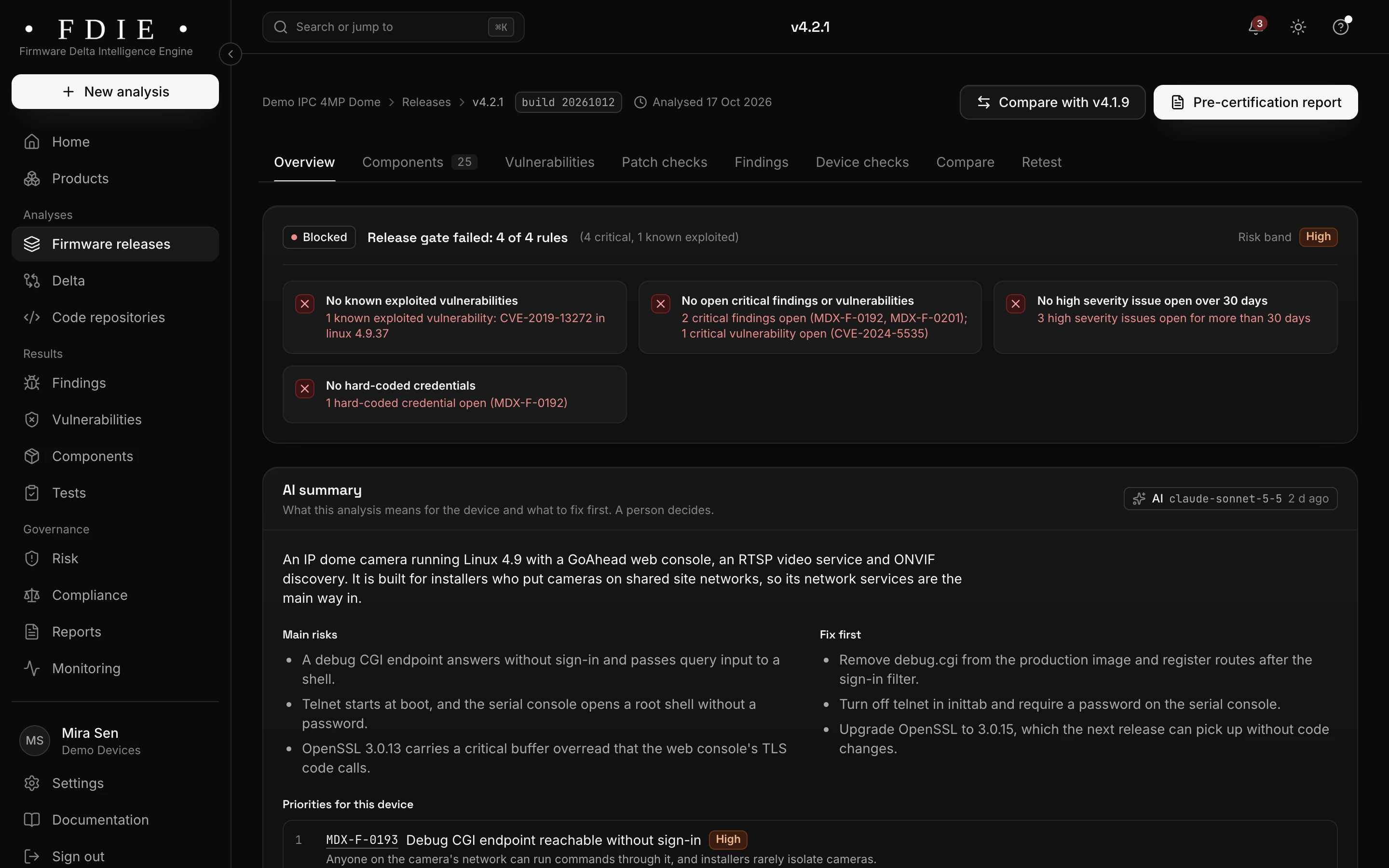
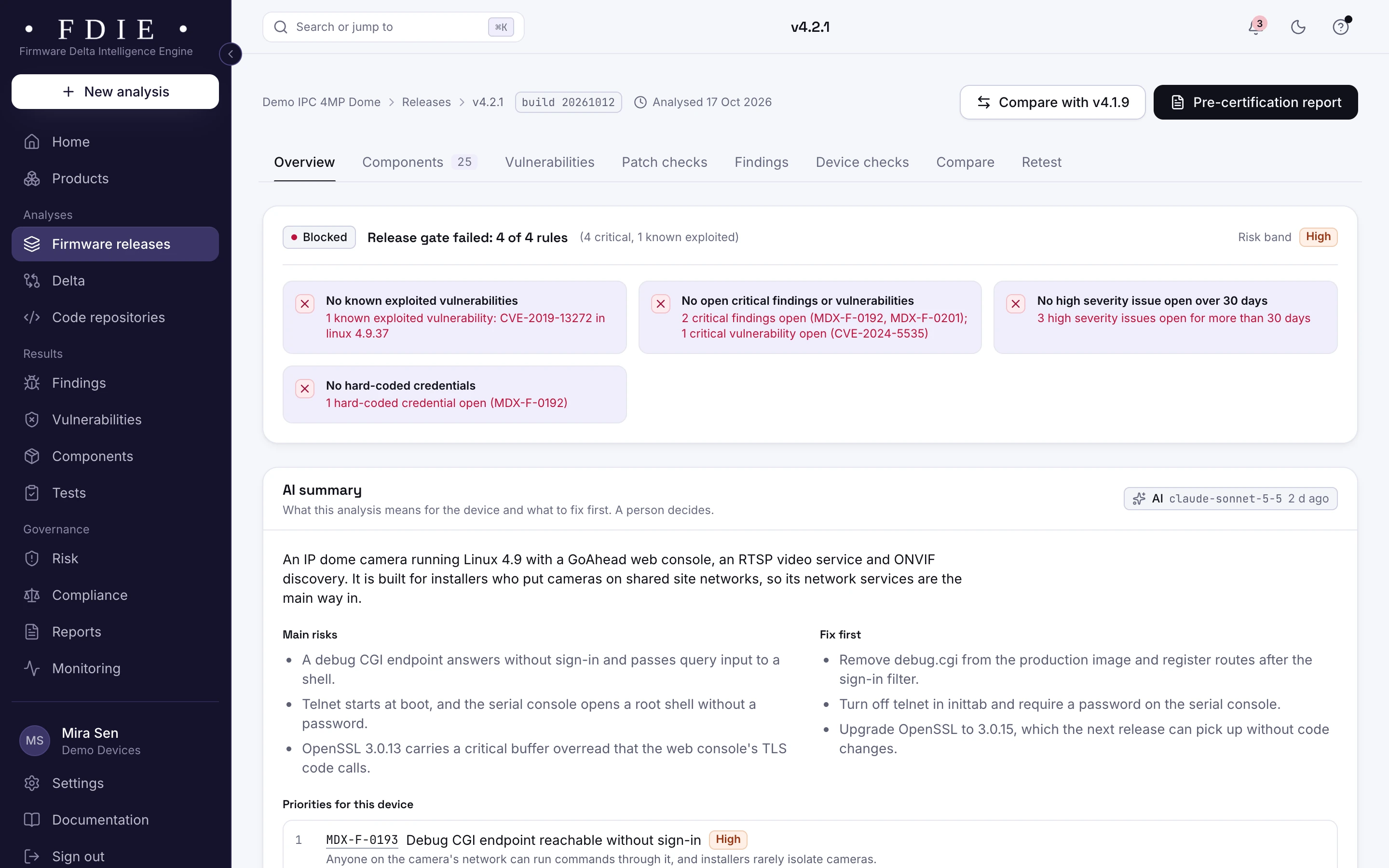
A firmware release overview for camera firmware v4.2.1: the release gate blocked on four rules, among them one known exploited vulnerability and critical findings, severity counts compared with the previous release, what is inside the image (components, binaries, file systems, kernel version) and the coverage gaps the analysis could not check.The same screen in the light theme.

How it works

From firmware image to evidence in four steps

  1. 1

    Upload the build you plan to submit

    Upload the firmware image in the app, import it from a GitHub or GitLab release, or let your CI pipeline send each build.

  2. 2

    FDIE reads the image

    Our own readers unpack the file systems and vendor wrappers, disassemble the programs and run the device checks. With runtime evidence on, programs from the image also run under emulation in a separate isolated job.

  3. 3

    Fix what the lab would flag

    Start with failed checks and exploited flaws. Each finding says why it matters and how to fix it, and your team adds evidence where the image cannot decide.

  4. 4

    Hand the lab a cleaner build

    Export the pre-certification report and the evidence pack as signed PDFs, with the SBOM, and submit with fewer surprises.

Know the split

What the image shows, and what stays with the lab

FDIE analyses the firmware, not the device. Knowing the split tells you what to fix before the lab and what to prepare for it.

From the firmware image, in FDIE

  • Default and hard-coded credentials, keys and tokens
  • Components, their versions and known vulnerabilities
  • Telnet, FTP, debug tools and serial shells set to start
  • Binary hardening, weak cryptography and the update path
  • The parts of the image the analysis could not read

On the device, with your testers or the lab

  • Tests on the running device and its network services
  • Hardware debug ports such as JTAG and SWD on the board
  • Manufacturing and supply chain audits
  • The test report and the certificate

Rules by market

Rules this helps with

Device checks decide some provisions on their own and give part of the evidence for others; the rest need a document or test report from you. The app shows which is which for every framework.

Compliance by market

India

EU and UK

US

International

Evidence and gap finding, not certification: the lab or certification body decides.

Deliverables

What your team gets

  • Pre-certification report

    A signed PDF of check results, findings and fixes for the release you plan to submit.

  • Evidence pack

    Check results and the evidence behind them for each framework, ready for the lab or a buyer.

  • SBOM

    Every component and its version, in CycloneDX 1.6 or SPDX 2.3.

  • VEX statements

    Why a vulnerability does not apply, exported as CycloneDX, OpenVEX or CSAF 2.0.

  • Risk register

    Accepted risks with owners and due dates, each approved by a second person.

  • Release gate in CI

    Ship or hold for every build, in the pipeline you already run.

Questions

Does this replace the test lab?

No. The test lab or certification body still decides. FDIE shows what is in your firmware and prepares the evidence, so you fix problems first and submit with fewer surprises.

Which requirements do the checks map to?

The frameworks your markets use, such as MeitY ER-01 and NCCS ITSAR in India, EN 18031 and the EU CRA for products sold in the EU, UK PSTI and ETSI EN 303 645. Many labs plan firmware reviews along OWASP's Firmware Security Testing Methodology, and FDIE automates its static stages, and its emulation and dynamic analysis stages when runtime evidence is on.

What do we need to start?

A firmware image of the build you plan to submit. The source code is optional; connecting it adds code findings to the same product.

Can we check every build, not only the one we submit?

Yes. Each release you upload is analysed on its own, and the CI step can send every build, so the one you submit has already been through the same checks.

What if part of the image is encrypted?

What FDIE cannot read is listed as a coverage gap with the reason, and the checks that depend on it say what evidence they need. Uploading the unencrypted build gives the fullest result.

Find out what the lab would flag in your firmware

A 45-minute call with our team. Bring one firmware image.

Request access