UEFI firmware security for PCs and servers

Secure Boot can be switched on and still trust a test key or a stale revocation list. FDIE reads UEFI firmware volumes and capsules, lists every module and checks the Secure Boot keys the firmware ships with, so you find PKfail-style test keys and missing revocations before a customer or a researcher does.

Request access
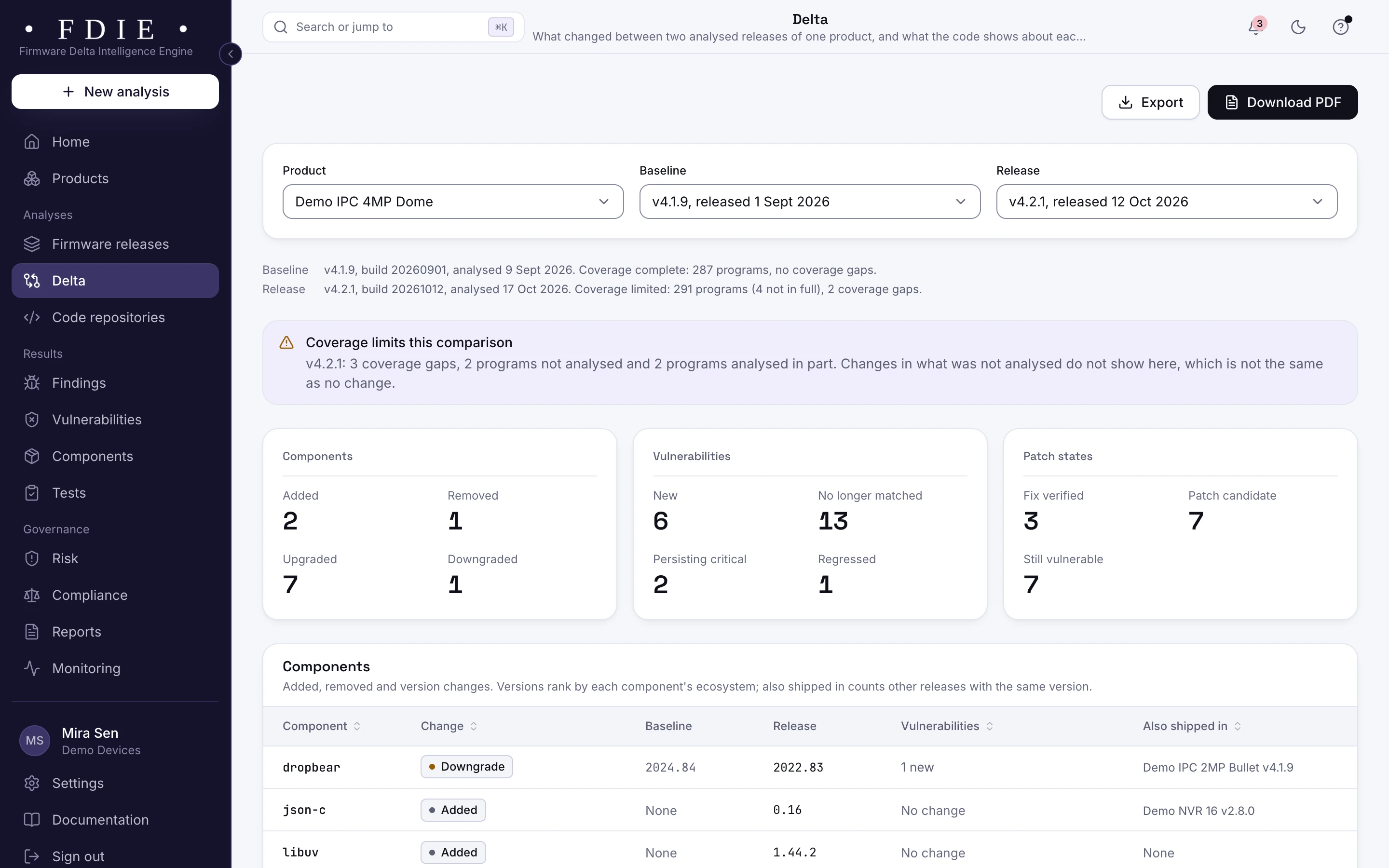
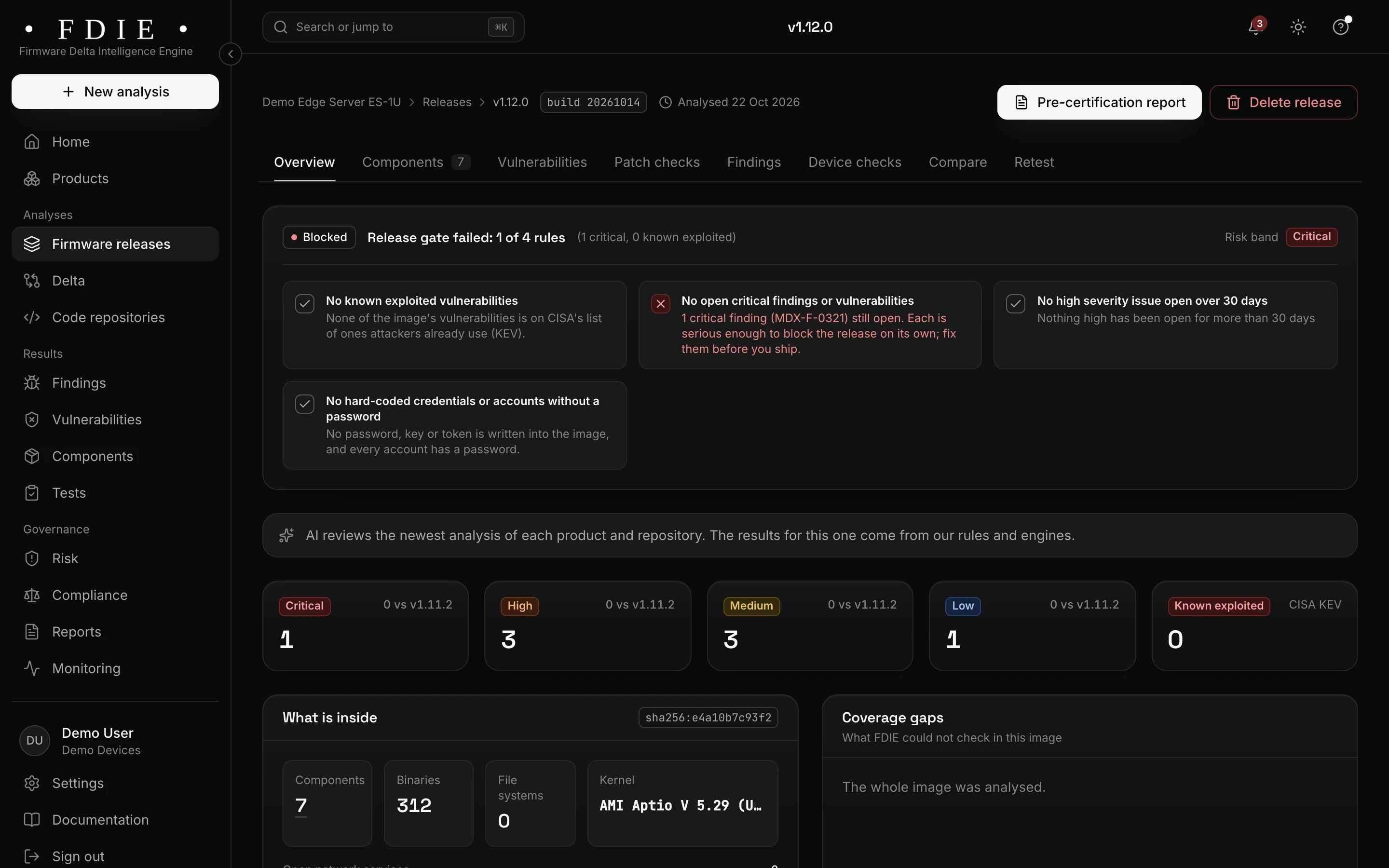
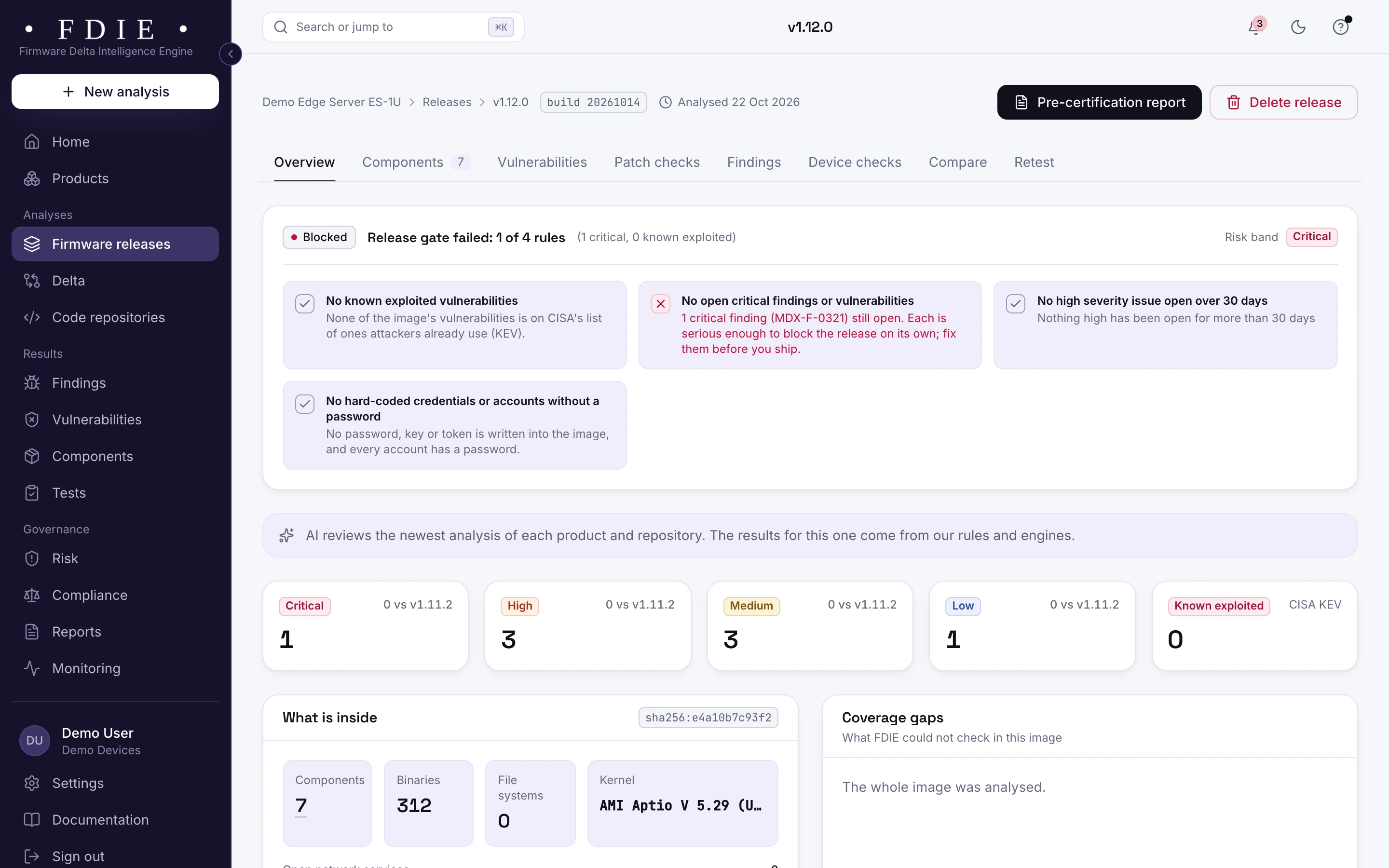
A UEFI firmware release for an edge server, blocked by its release gate on one critical finding, with severity counts and an AMI Aptio V image inside.The same screen in the light theme.
A UEFI firmware release for an edge server from the app's sample organisation: the release gate held on a critical finding, with severity counts and what is inside.

The challenge

Where Secure Boot quietly breaks

  • Test keys shipped as real ones

    Platform Keys meant only for testing, whose private keys are public, have shipped in production firmware. Anyone holding such a key can sign boot code that Secure Boot accepts.

  • Stale revocation lists

    The revocation list (dbx) blocks boot modules with known flaws. An image that ships an old list starts every new or reset machine trusting them again.

  • Modules from many suppliers

    A UEFI image carries modules from the chip vendor, the BIOS vendor and the board maker. Few teams know which of them have published vulnerabilities.

How FDIE helps

What changes with FDIE

Volumes, capsules and every module

FDIE reads UEFI firmware volumes and capsules and lists every module they hold, with the Secure Boot keys and the revocation list. Volumes a vendor packs in its own format, such as Dell PFS, are shown as coverage gaps rather than guessed at.

  • Every module in the volumes listed
  • Secure Boot certificates in the crypto inventory, expired ones flagged
  • Vendor-packed volumes named as coverage gaps
Formats and processors
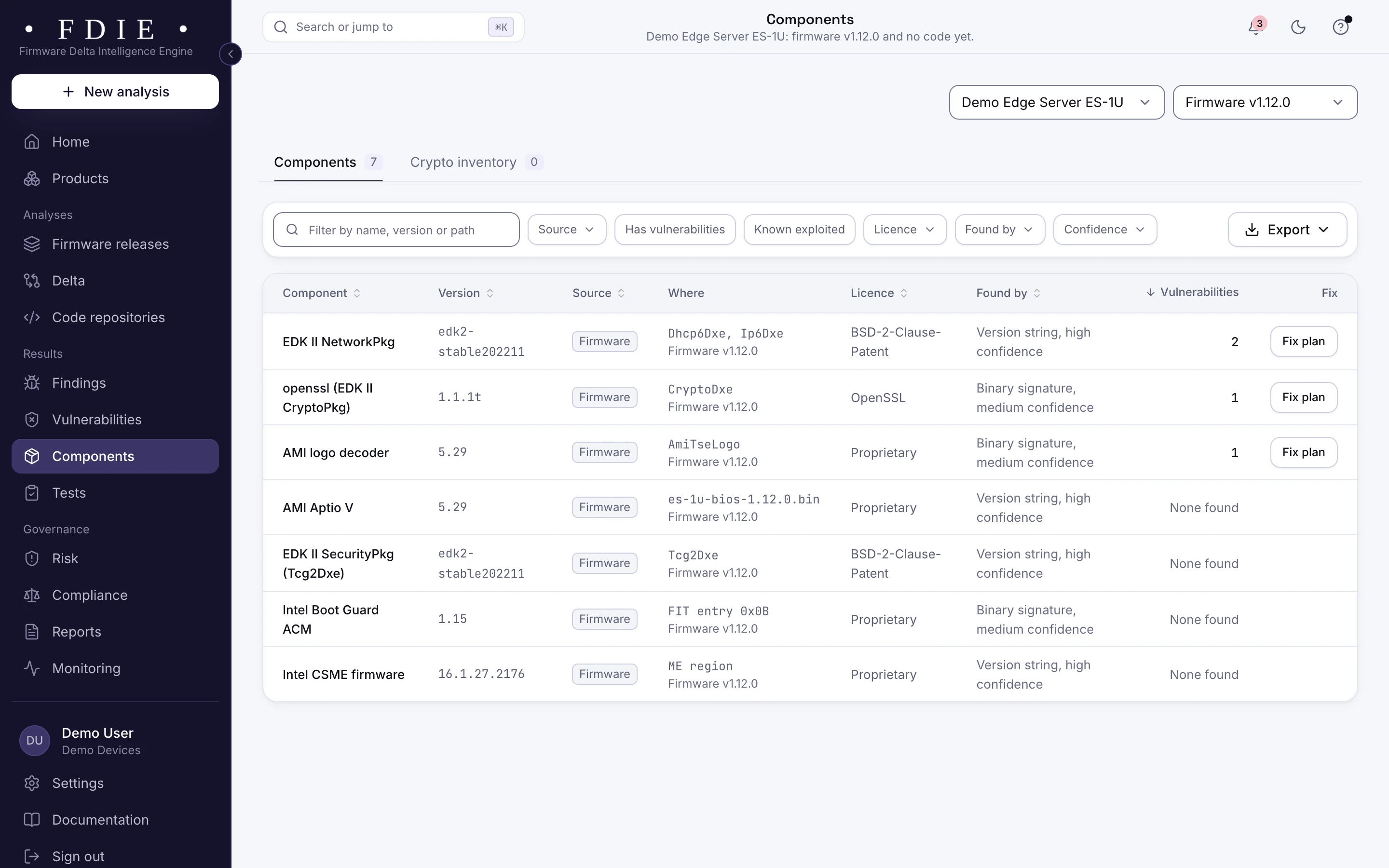
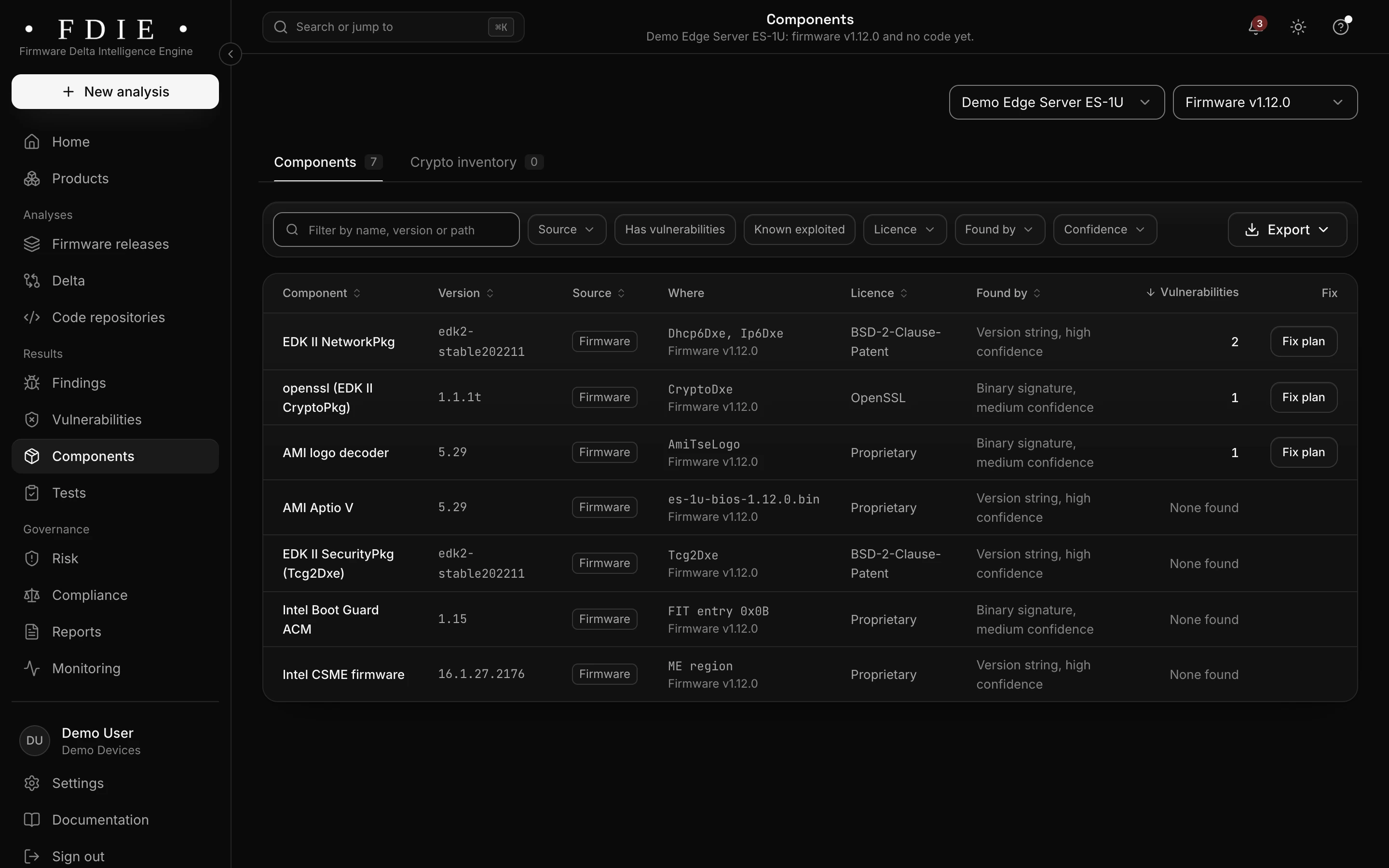
The server firmware's components: EDK II NetworkPkg, OpenSSL in the EDK II CryptoPkg, an AMI logo decoder, AMI Aptio V, the EDK II SecurityPkg, Intel Boot Guard ACM and Intel CSME firmware, each with the module where it was found.The same screen in the light theme.

Four Secure Boot checks

Device checks look for test keys in the Secure Boot databases, such as PKfail, check the revocation list and the KEK that updates it, flag modules with a published vulnerability and report SMM callouts. A check passes only when something was examined; otherwise it says not assessed, with the reason.

  • Test Platform Keys such as PKfail (CVE-2024-8105)
  • A current revocation list (dbx) and a KEK that can update it
  • Revoked modules, and SMM callouts as low-confidence leads
How device checks work
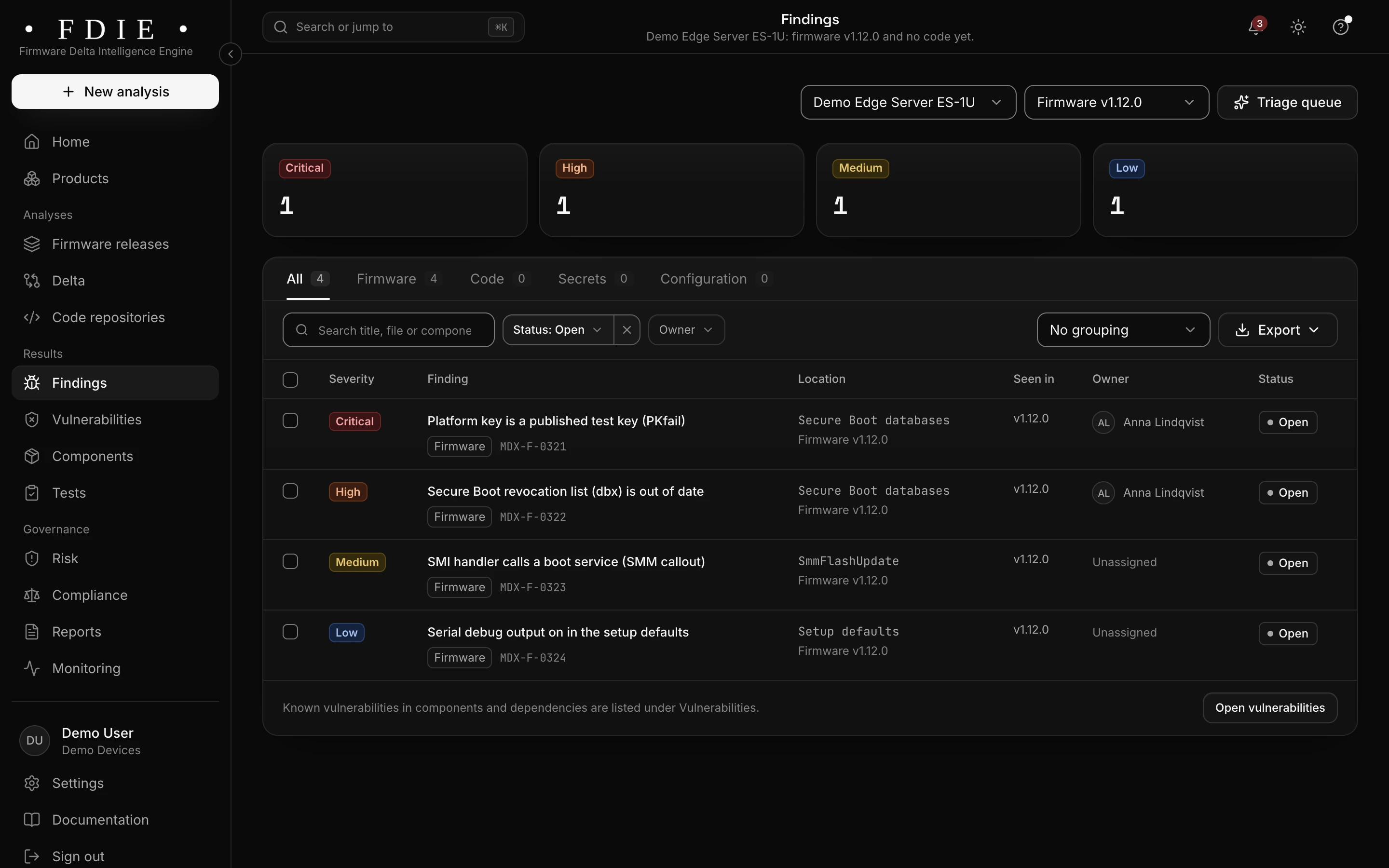
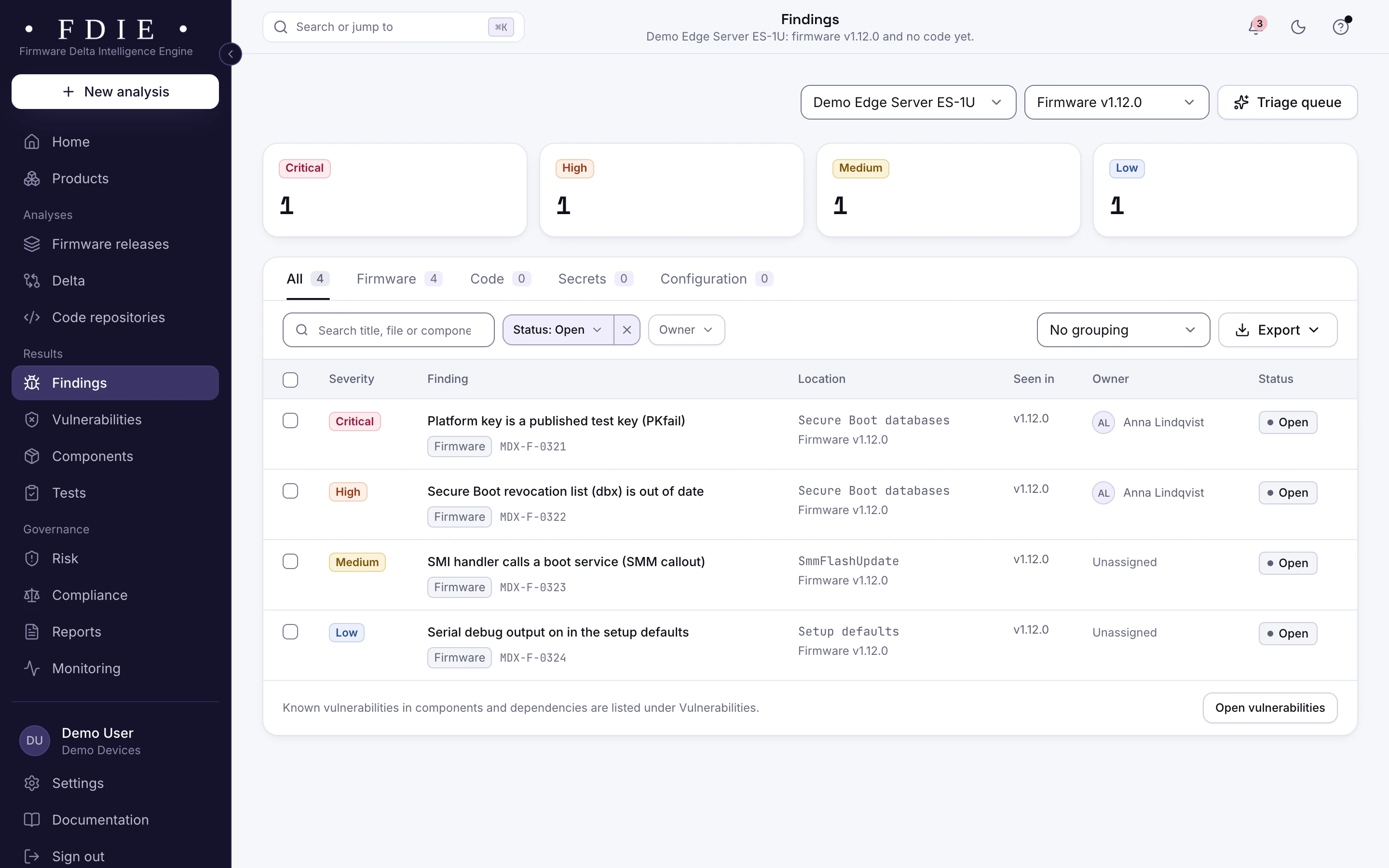
Findings in the server's UEFI firmware: a platform key that is a published test key (PKfail), an out-of-date Secure Boot revocation list (dbx), an SMI handler that calls a boot service, and serial debug output left on.The same screen in the light theme.

BIOS updates, compared

Compare two firmware releases: components added, removed, upgraded and downgraded, with findings and device checks side by side. You see whether an update brought the revocation list up to date or left a test key in place.

  • Device checks compared between releases
  • Coverage gaps named, so a missing result is never read as a fix
  • A delta report as a signed PDF
Release comparison
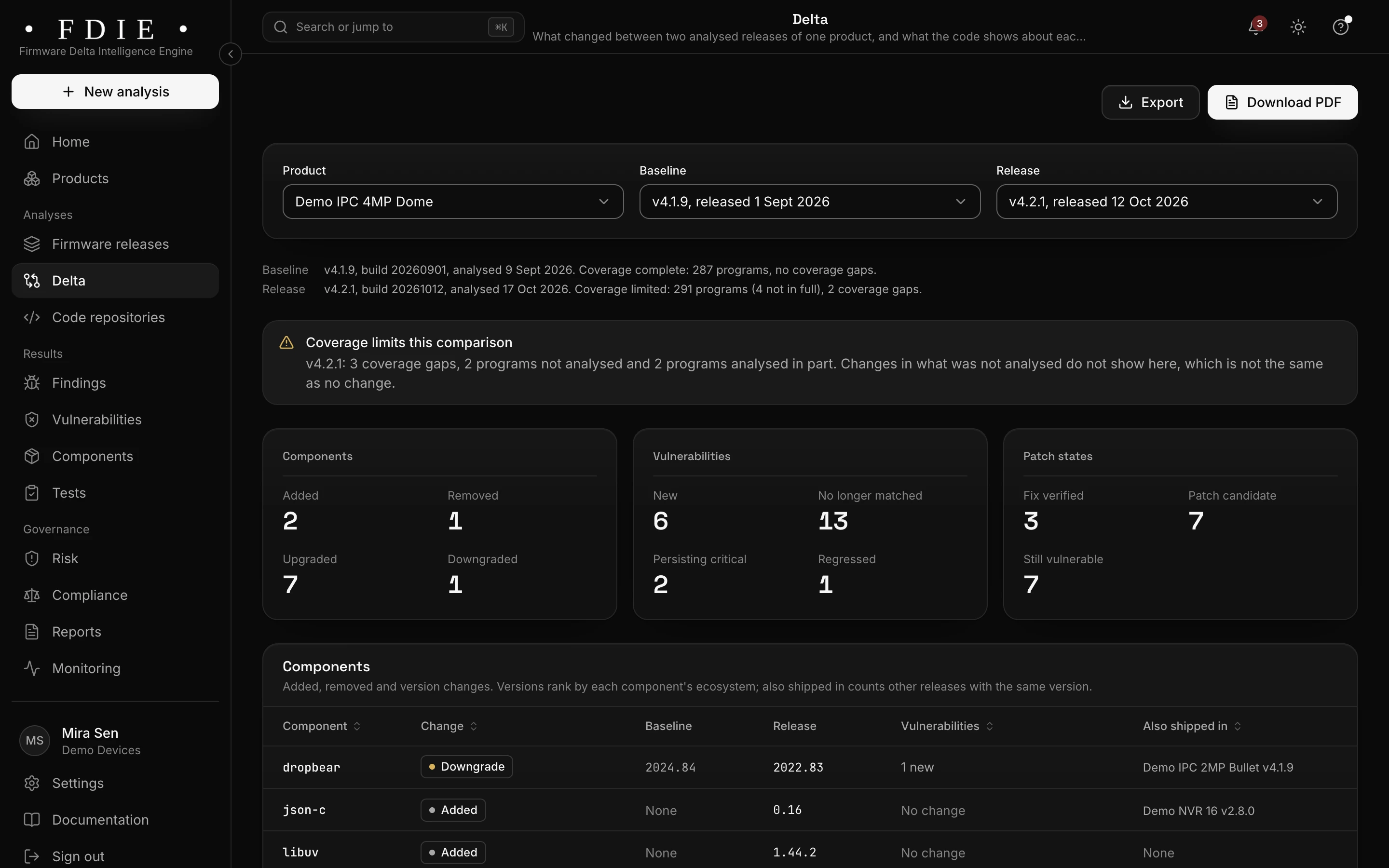
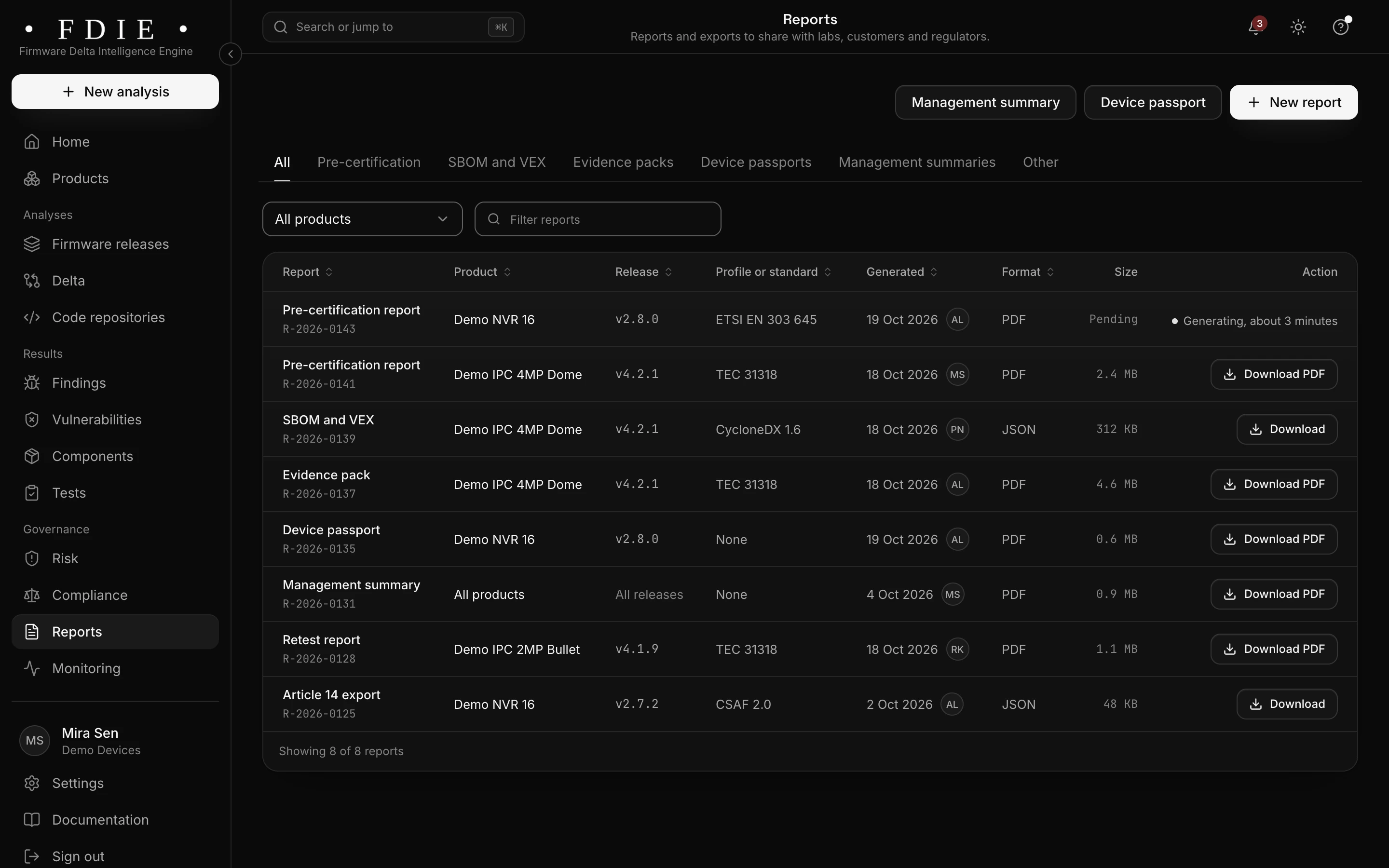
Delta for the sample camera, comparing firmware v4.1.9 with v4.2.1: a note that coverage gaps limit the comparison, counts of components added, removed, upgraded and downgraded, new and no longer matched vulnerabilities, patch states (fix verified, patch candidate, still vulnerable), and the start of the component changes table.The same screen in the light theme.

A gate for every firmware build

Your release rules say ship or hold, with the reasons. A CI token lets your build pipeline upload each image and fail on the gate, and reports are signed PDFs that customers and auditors can check.

  • Ship or hold, with engineering, security and product sign-offs
  • A ready step for Jenkins, GitHub Actions, GitLab CI, Azure DevOps and Bitbucket
  • Reports signed with Ed25519
The release gate
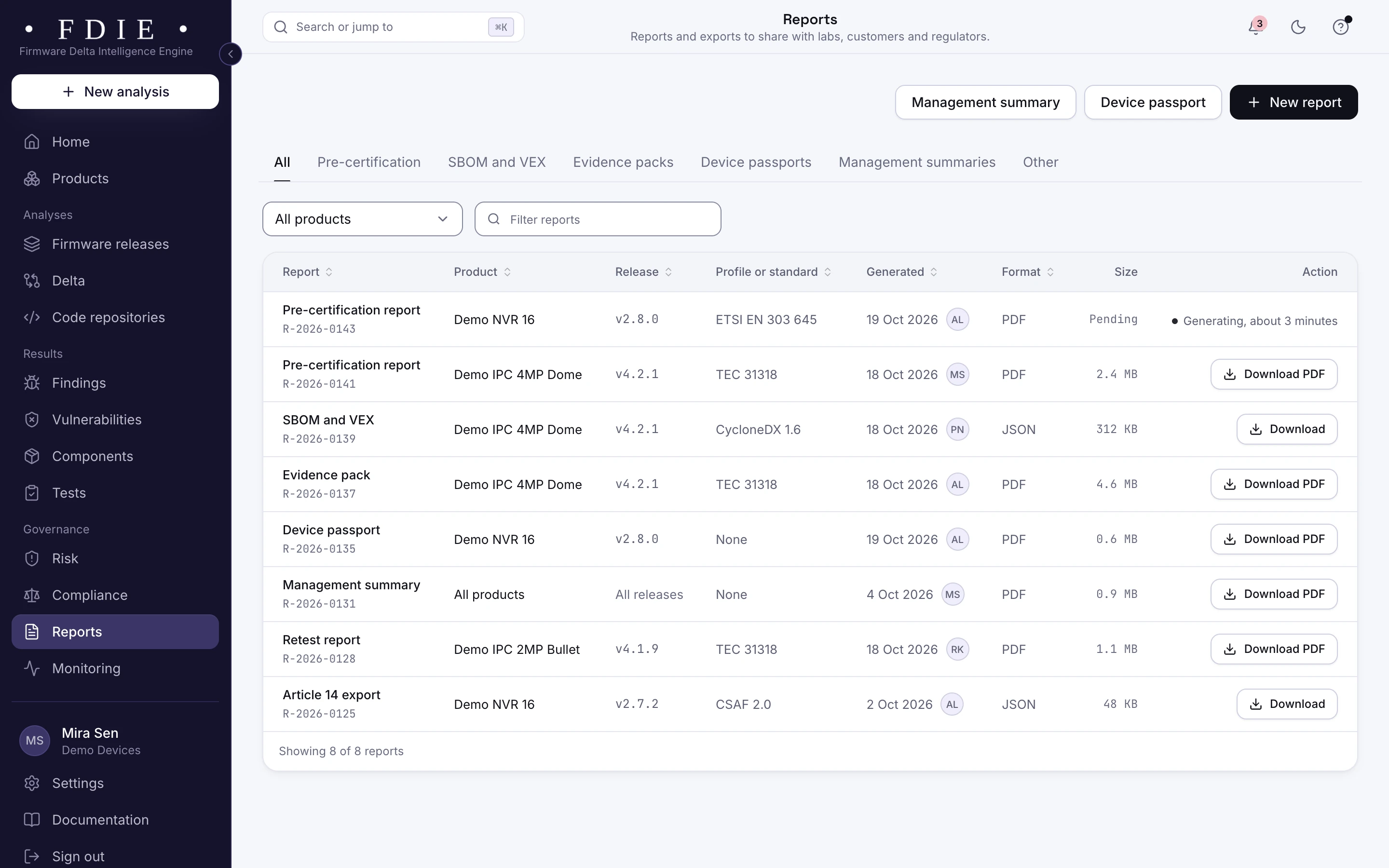
The reports list: pre-certification reports, SBOM and VEX, an evidence pack, a device passport, a management summary, a retest report and an Article 14 export, each with its product, release, standard, date, format and a download button.The same screen in the light theme.

How it works

From firmware image to evidence in four steps

  1. 1

    Upload the firmware

    Upload a UEFI firmware volume or capsule, or let your build pipeline send each one.

  2. 2

    Volumes and keys read

    FDIE opens the volumes, lists every module and reads the Secure Boot keys and the revocation list.

  3. 3

    Review the Secure Boot checks

    Replace test keys, update the revocation list and the KEK, and look at revoked modules and SMM leads.

  4. 4

    Ship with evidence

    Compare the update with the last release, export signed reports and let the gate say ship or hold.

Know the split

What the image shows, and what stays with the lab

FDIE analyses the firmware, not the device. Knowing the split tells you what to fix before the lab and what to prepare for it.

From the firmware image, in FDIE

  • Every module in the firmware volumes
  • Platform Keys, the KEK, db and the revocation list
  • Revoked modules and SMM callouts, as leads
  • Coverage gaps for vendor-packed volumes

On the device, with your testers or the lab

  • Secure Boot settings on a machine in the field
  • Revocations the operating system applied since
  • Boot Guard, TPM and hardware root of trust tests
  • Penetration tests of the running platform

Rules by market

Rules this helps with

For products sold in the EU, the EU CRA covers PCs and servers as products with digital elements, and EN 18031 applies to those with a radio. Industrial PCs often answer to IEC 62443-4-2.

Compliance by market

EU and UK

US

International

Evidence and gap finding, not certification: the lab or certification body decides.

Deliverables

What your team gets

  • Secure Boot check results

    Test keys, the revocation list, revoked modules and SMM leads for each release.

  • Module list

    Every module in the firmware's volumes, kept with the release it came from.

  • Delta report

    What changed between two firmware releases, as a signed PDF.

  • Pre-certification report

    A signed PDF of checks, findings and fixes for the release.

  • Release gate in CI

    Ship or hold for every firmware build, with the reasons.

  • Coverage gaps

    Vendor-packed volumes and what could not be read, with the reason.

Questions

What is PKfail?

PKfail (CVE-2024-8105) is the shipping of test Platform Keys whose private keys are known. Anyone holding such a key can sign boot code that Secure Boot will accept.

Does an old revocation list mean machines in the field are exposed?

Not necessarily. The operating system may have applied revocation updates since. The check reports what the firmware ships with, which is where a new or reset machine starts.

Why is a check marked not assessed?

A check passes only when something was examined. When the modules sit in a vendor-packed format FDIE does not unpack, or the image holds no Secure Boot variables, the check says not assessed and gives the reason.

Does it read Dell PFS images?

Volumes a vendor packs in its own format, such as Dell PFS, are listed as coverage gaps today, not unpacked.

Is the firmware run?

No. UEFI volumes and capsules are read, not booted.

Find out what the lab would flag in your firmware

A 45-minute call with our team. Bring one firmware image.

Request access