Prove each update fixed what it promised

The release notes say a vulnerability is fixed, but the version string did not change, or the chip vendor backported the fix without saying so. Buyers, operators and labs want proof, not a changelog. FDIE compares two releases down to their functions and tells you, from the code, what changed and what is still open.

Request access
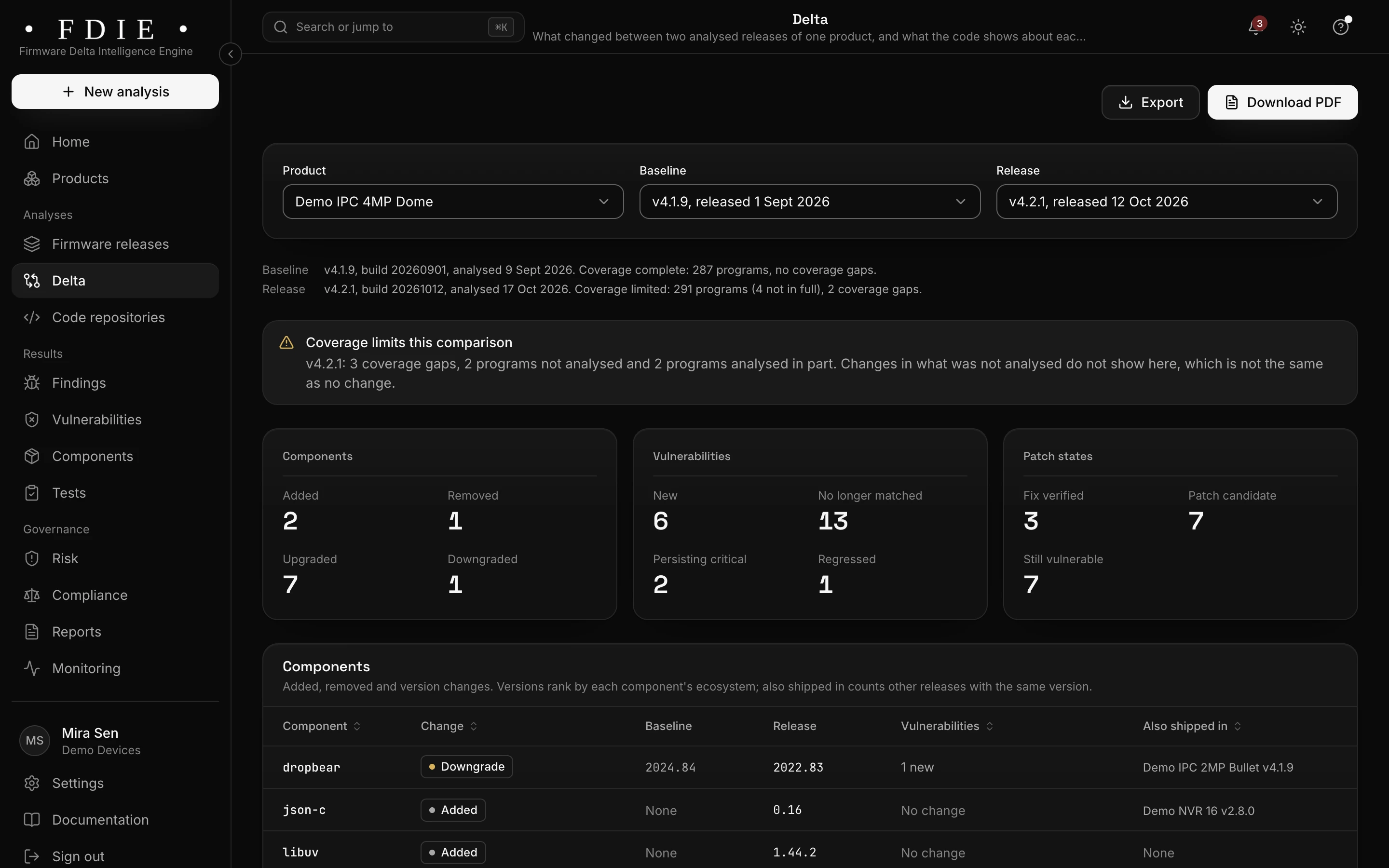
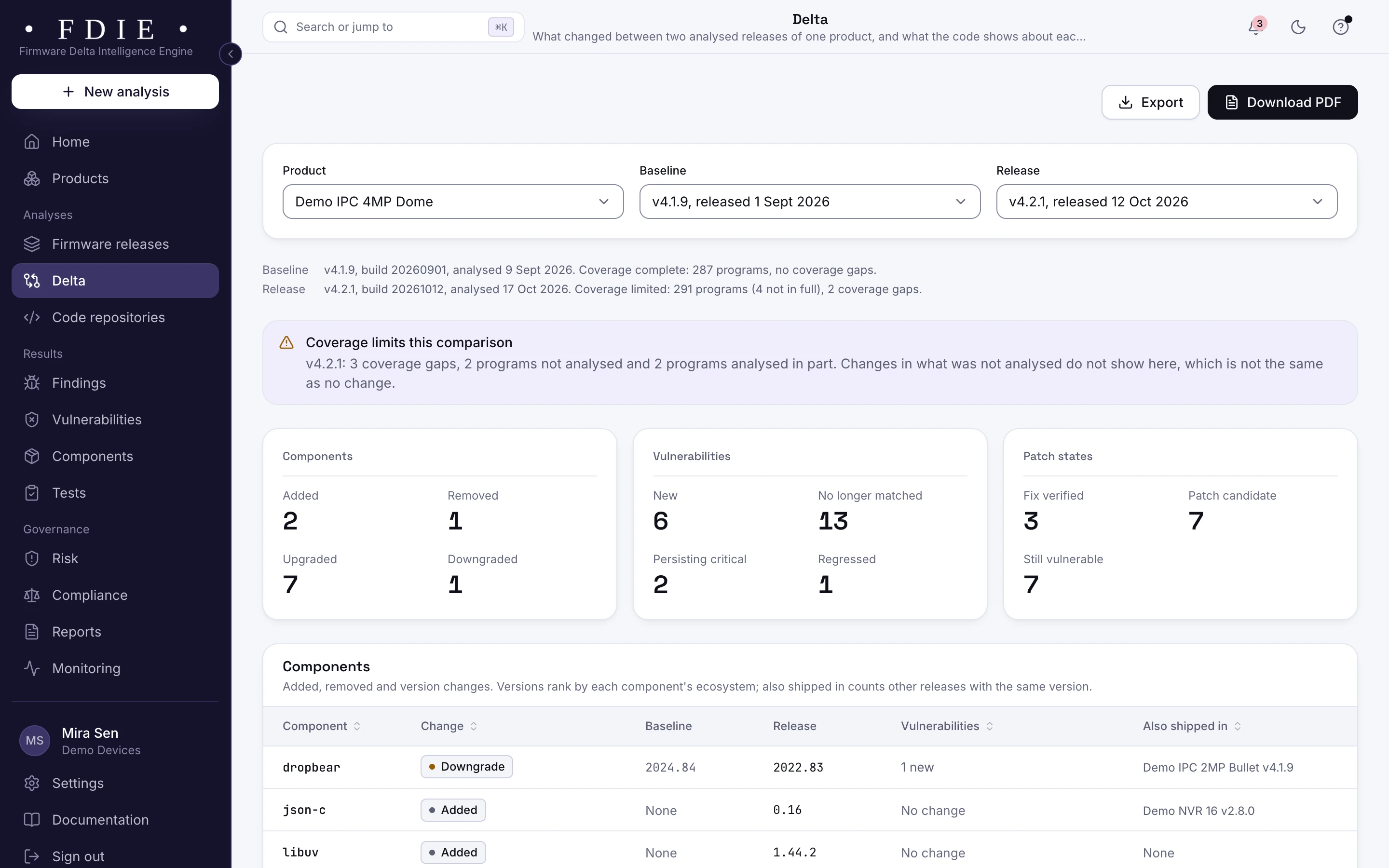
Delta for the sample camera, comparing firmware v4.1.9 with v4.2.1: a note that coverage gaps limit the comparison, counts of components added, removed, upgraded and downgraded, new and no longer matched vulnerabilities, patch states (fix verified, patch candidate, still vulnerable), and the start of the component changes table.The same screen in the light theme.
The delta between two releases of the sample camera, with a patch state for each vulnerability.

The challenge

Why a changelog is not proof

  • Version strings do not tell the whole story

    Vendors backport fixes without changing versions, and sometimes change versions without the fix. Matching by version alone gets both cases wrong.

  • Regressions slip in

    A new SDK drop can bring back an old library, turn telnet on again or drop a hardening flag. Nobody notices until a customer or a lab does.

  • Every update needs evidence

    Operators, buyers and, for products sold in the EU, the EU CRA expect vulnerabilities to be fixed through security updates. You need to show what each update changed.

How FDIE helps

What changes with FDIE

Two releases, side by side

Compare two analysed releases of a product: components added, removed, upgraded and downgraded; vulnerabilities new, no longer matched, persisting and regressed; programs, findings, device checks and network services. Coverage gaps that limit the comparison are named.

  • Downgraded components and regressed vulnerabilities flagged
  • Device checks and network services compared
  • Coverage gaps named, so a missing result is never read as a fix
Release comparison
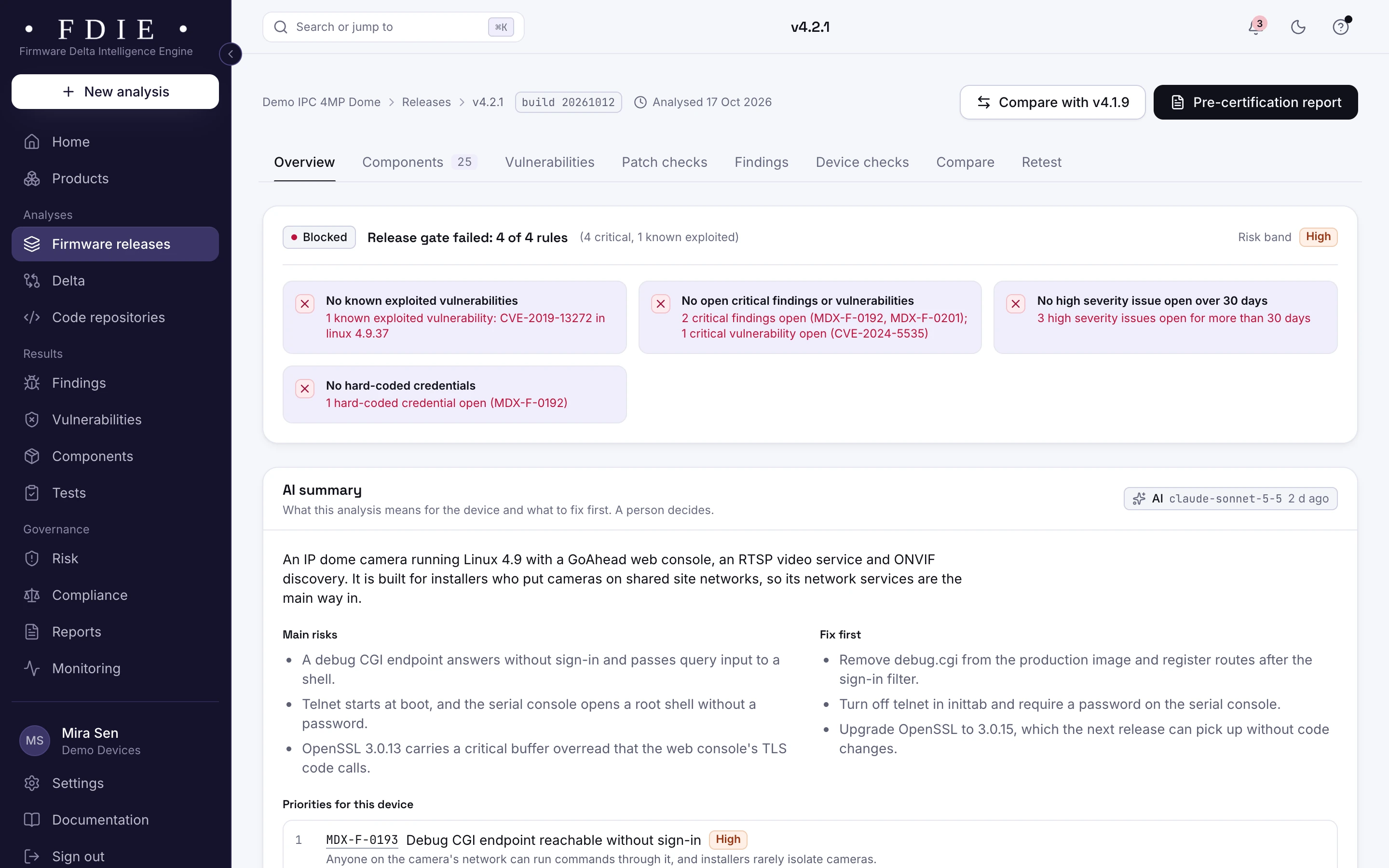
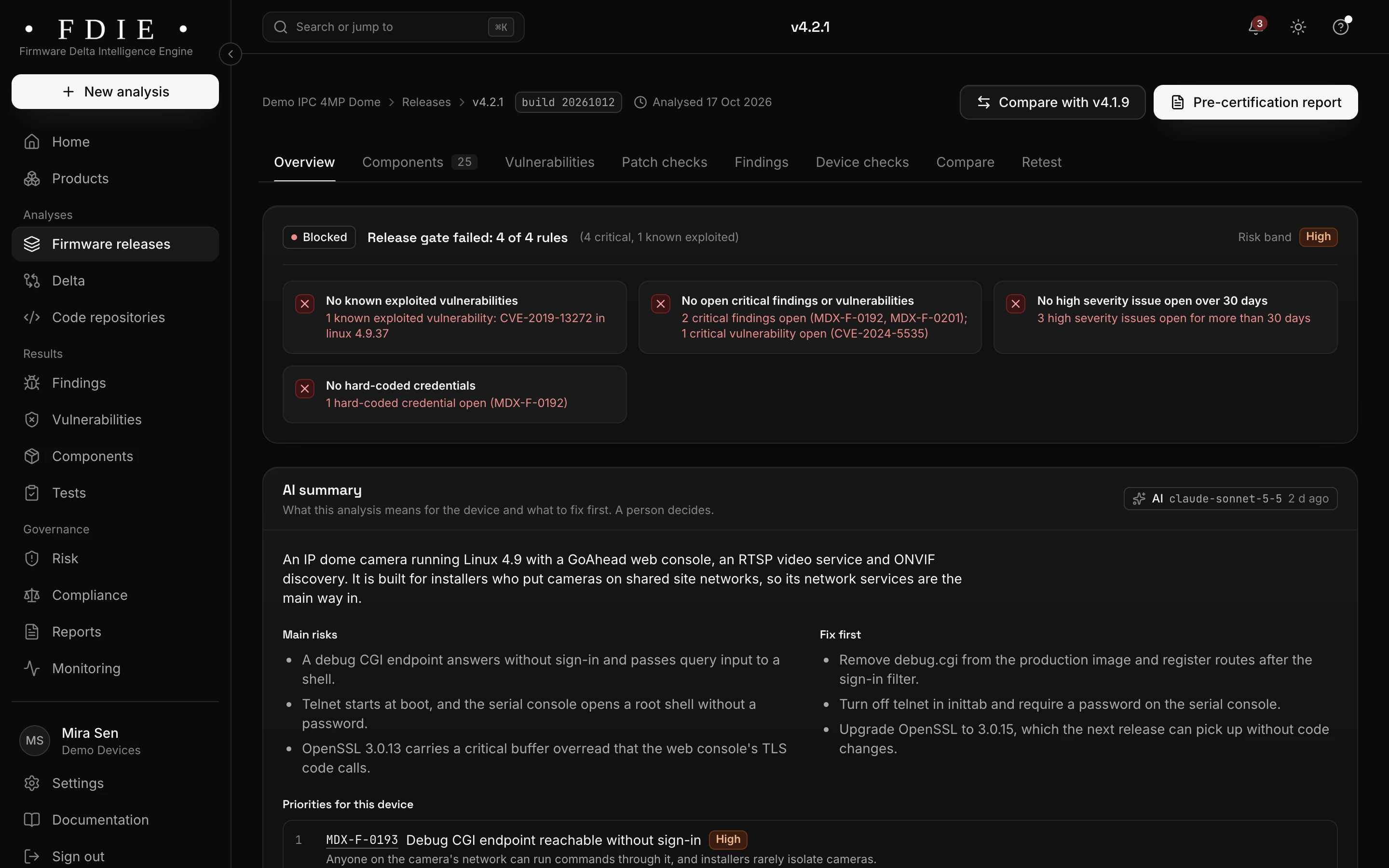
A firmware release overview for camera firmware v4.2.1: the release gate blocked on four rules, among them one known exploited vulnerability and critical findings, severity counts compared with the previous release, what is inside the image (components, binaries, file systems, kernel version) and the coverage gaps the analysis could not check.The same screen in the light theme.

Patch checks read the code

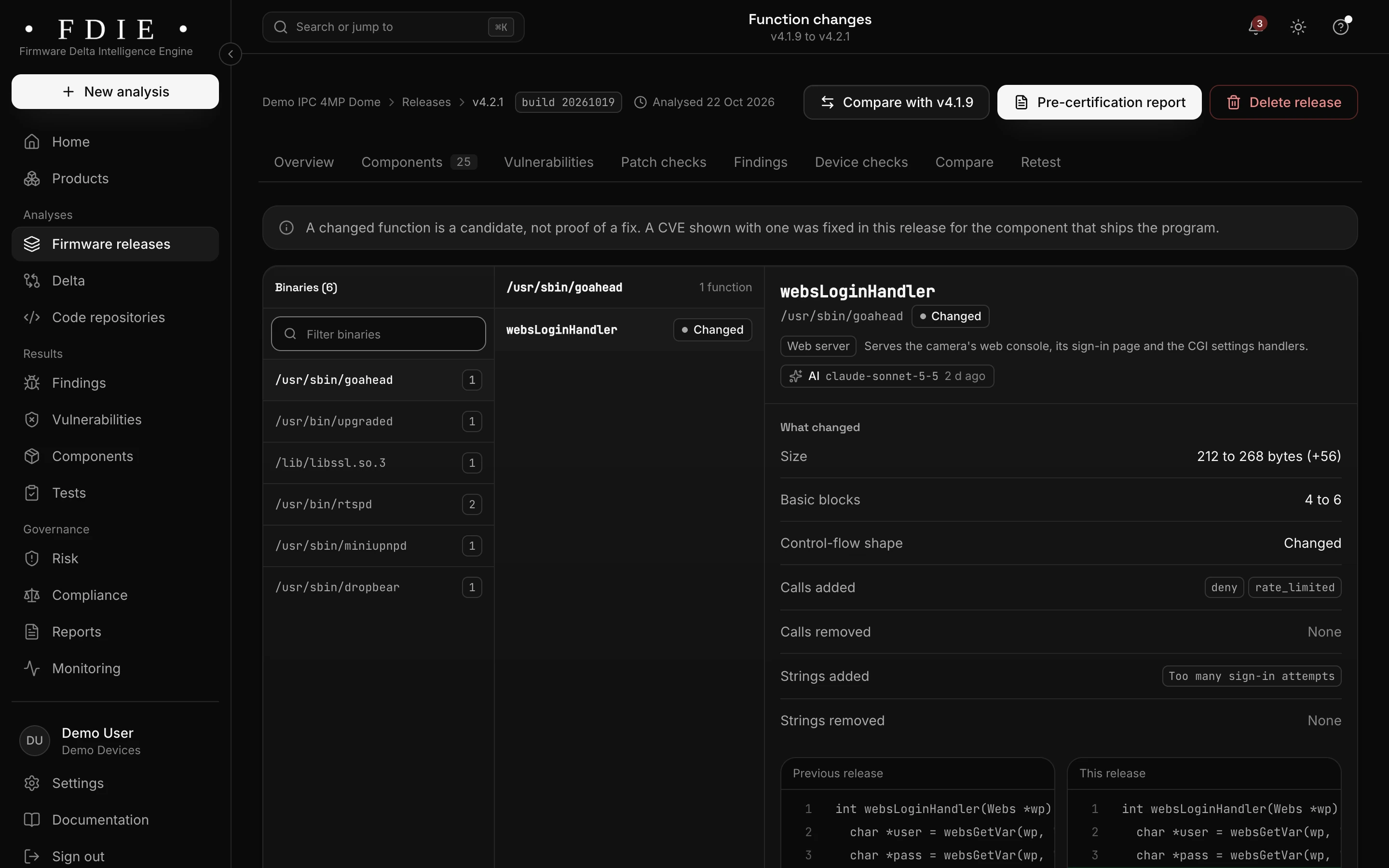
Patch checks look at the disassembled functions where a fix would land and give each vulnerability a state: fix verified, patch candidate or still vulnerable. A backported fix shows even when the version string did not change.

  • Fix verified, patch candidate or still vulnerable
  • Changed functions shown side by side, old and new
  • A changed function marked as a candidate, never as proof
How patch checks work
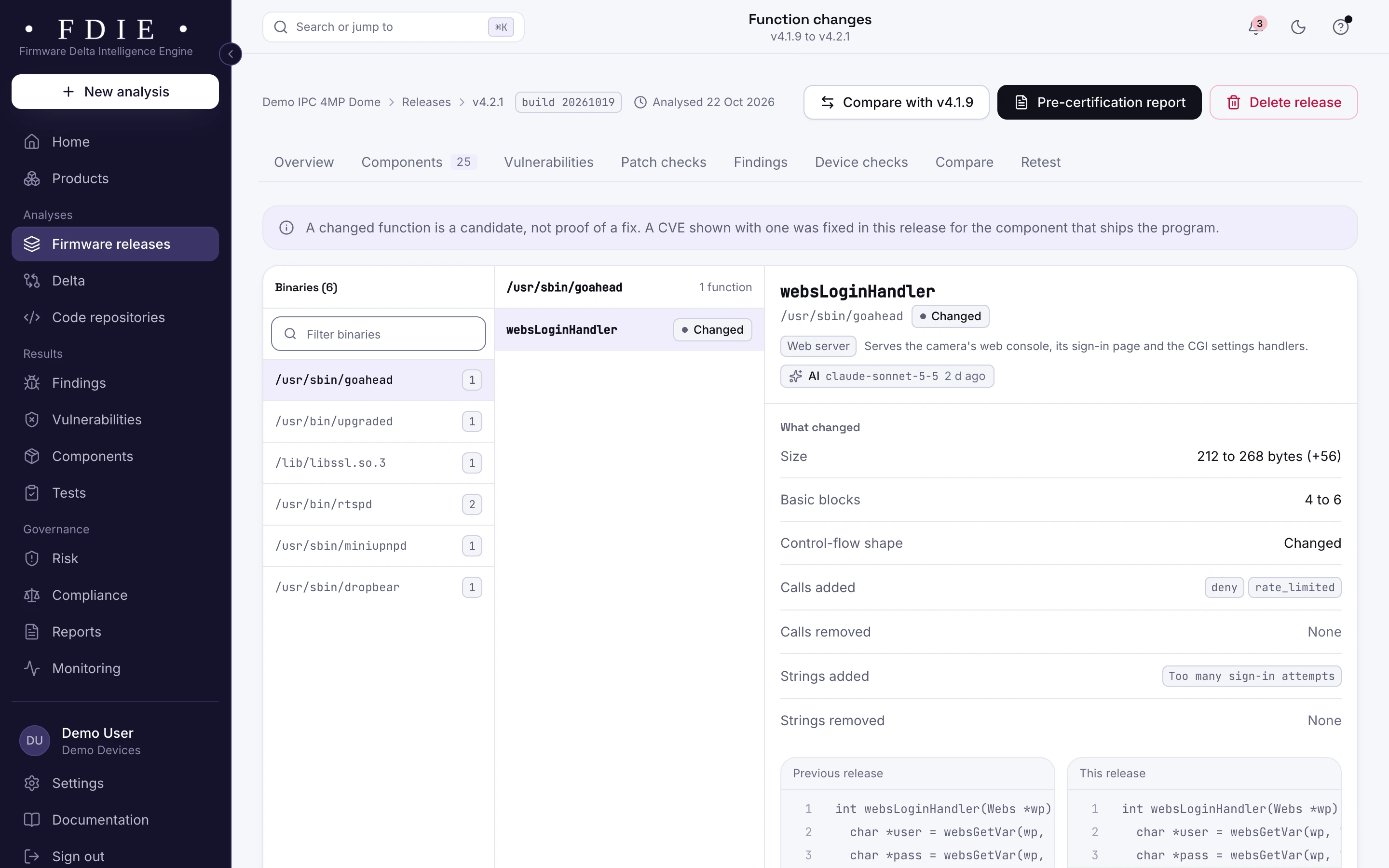
Function changes between two firmware releases: the changed programs, a changed function in the web server, and its code from the previous and the current release side by side with the added lines marked, under a note that a changed function is a candidate, not proof of a fix.The same screen in the light theme.

Last release's findings, retested

Open findings and vulnerabilities from the previous release are checked against the new one by fingerprint, so you see what was fixed, what is still open and what came back. Your team closes what is fixed and keeps working on the rest.

  • Fixed, still open and new findings kept apart
  • Each finding with the releases it was seen in
  • A retest report to share
Retests
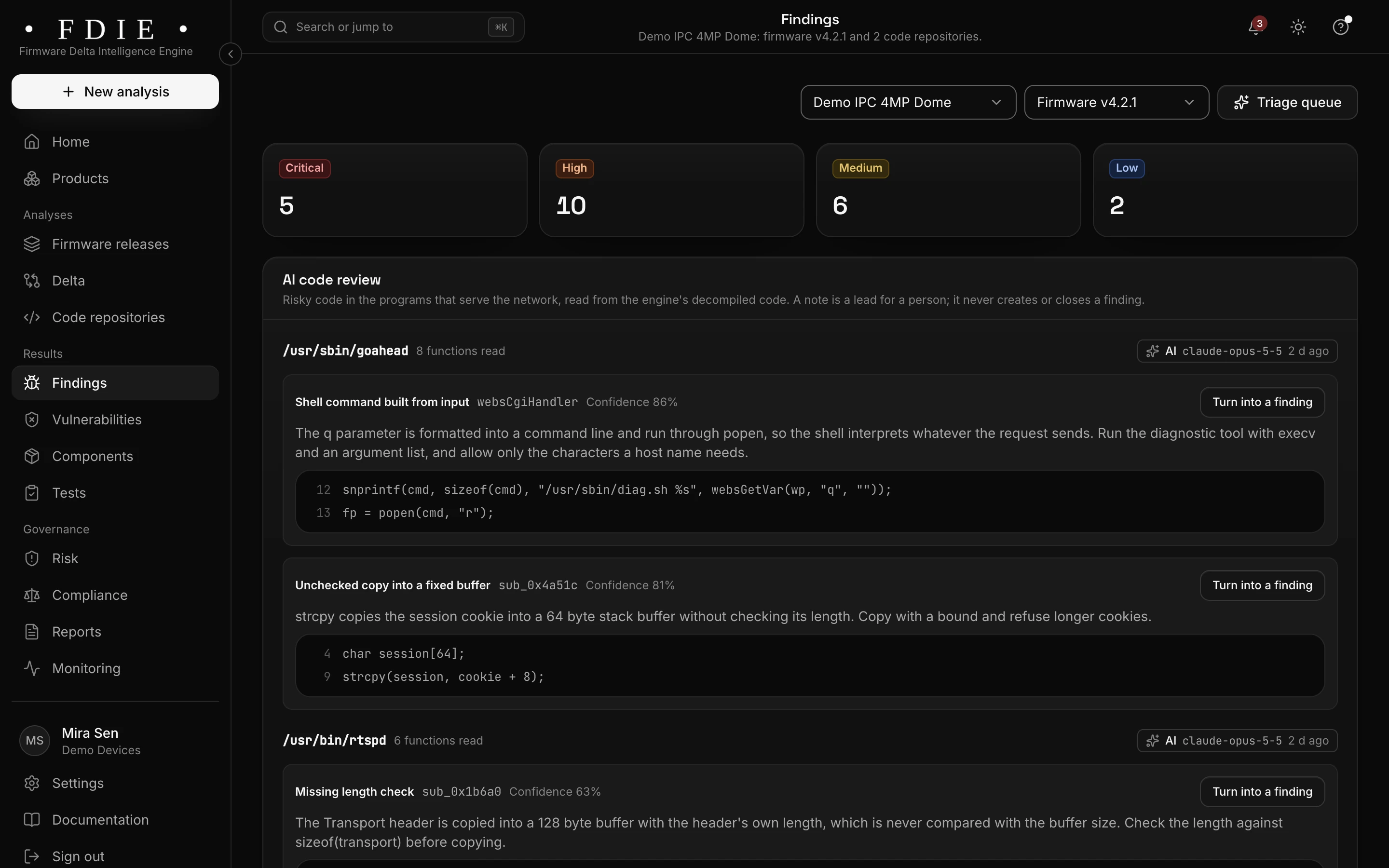
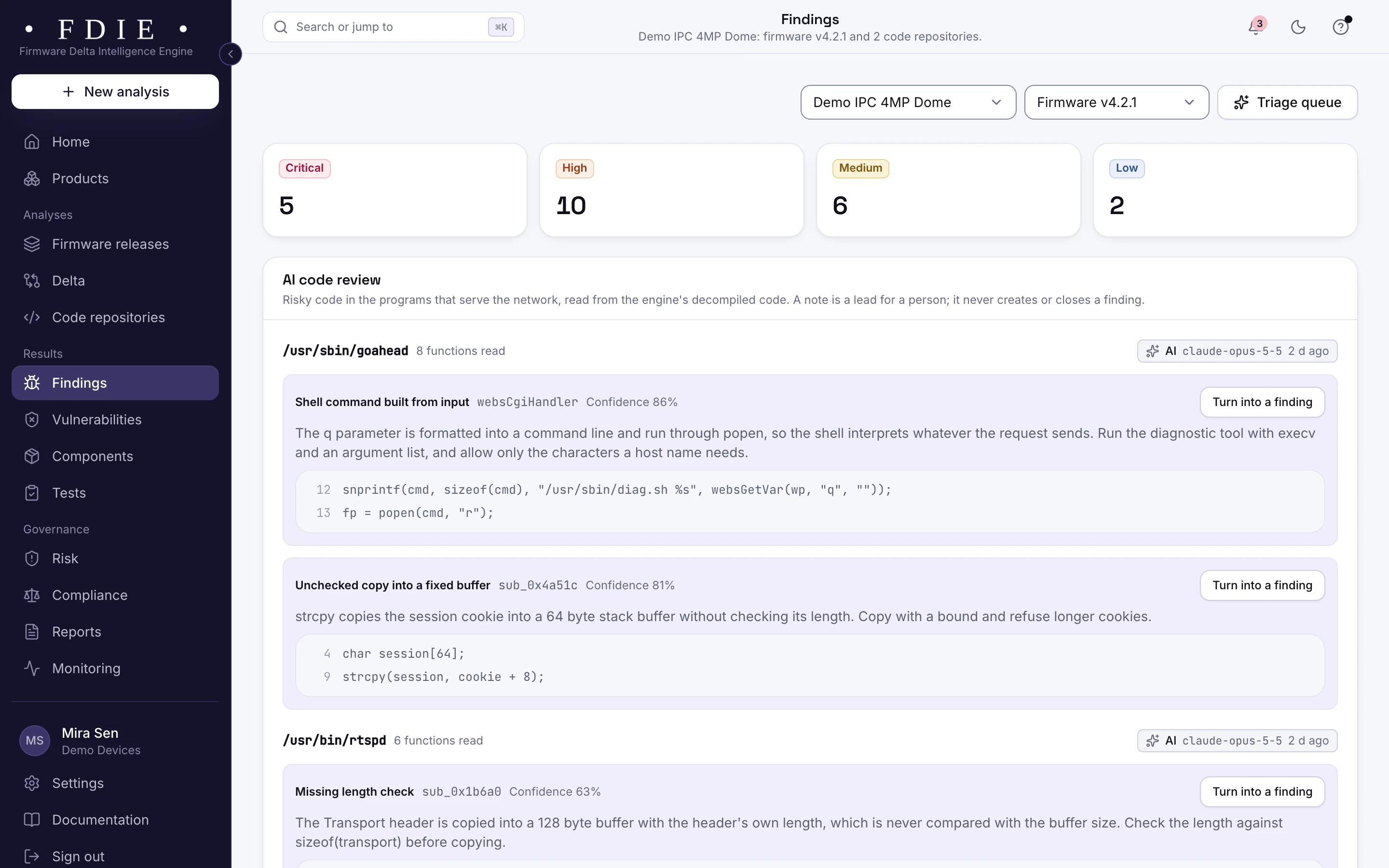
The findings list for one product, combining firmware and code: severity tiles, tabs for firmware, code, secrets and configuration, and rows such as a hard-coded admin credential in a web login handler and command injection in a firmware upload handler, each with its location, the releases it was seen in, an owner and a status.The same screen in the light theme.

Evidence for every update

Share the delta report and the retest report as signed PDFs, and update the VEX statements for the vulnerabilities the update fixed. The answer to "is it fixed?" becomes a document, not a promise.

  • A delta report as a signed PDF
  • A retest report for the lab or the buyer
  • Updated VEX in CycloneDX, OpenVEX or CSAF 2.0
Reports and exports
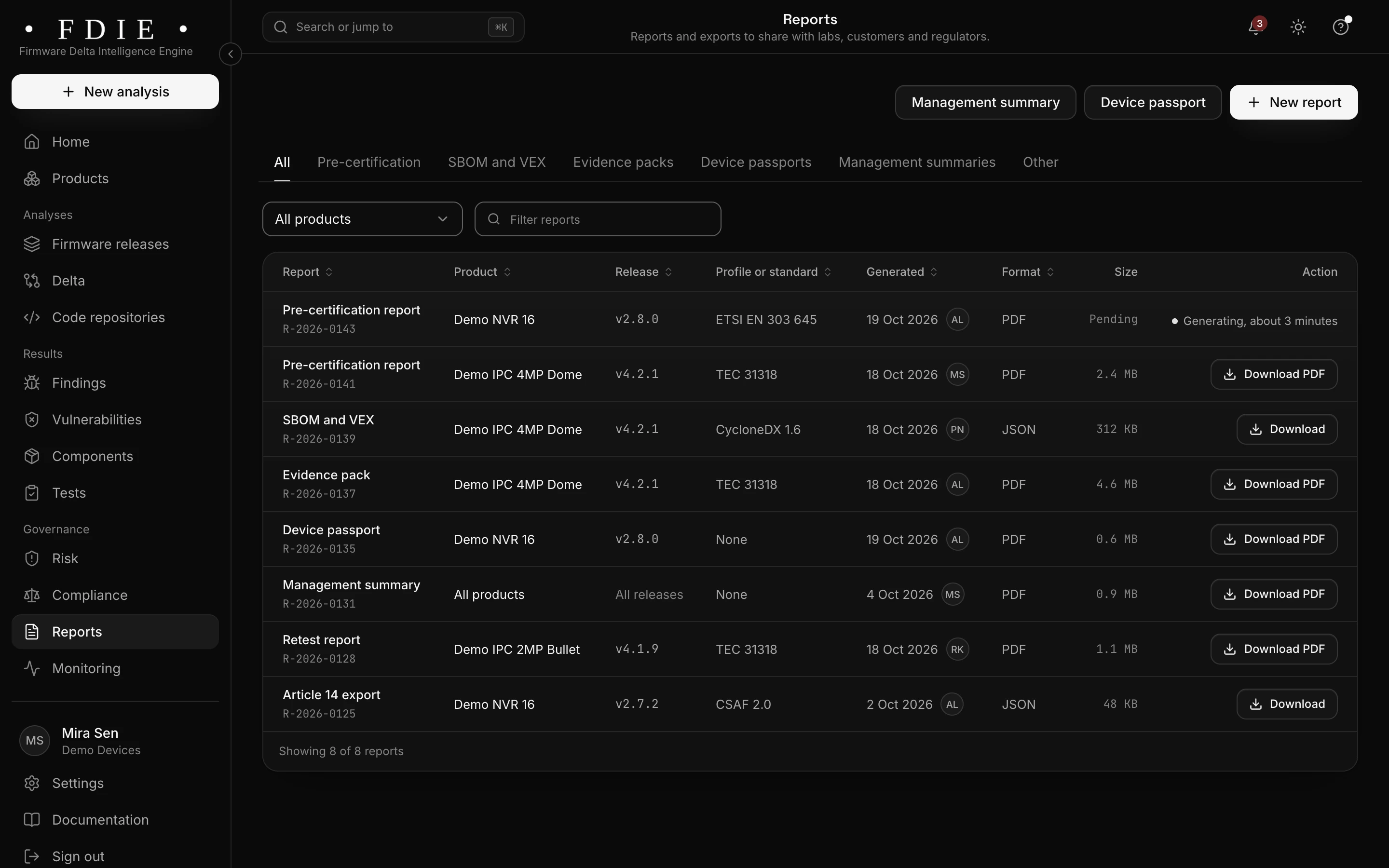
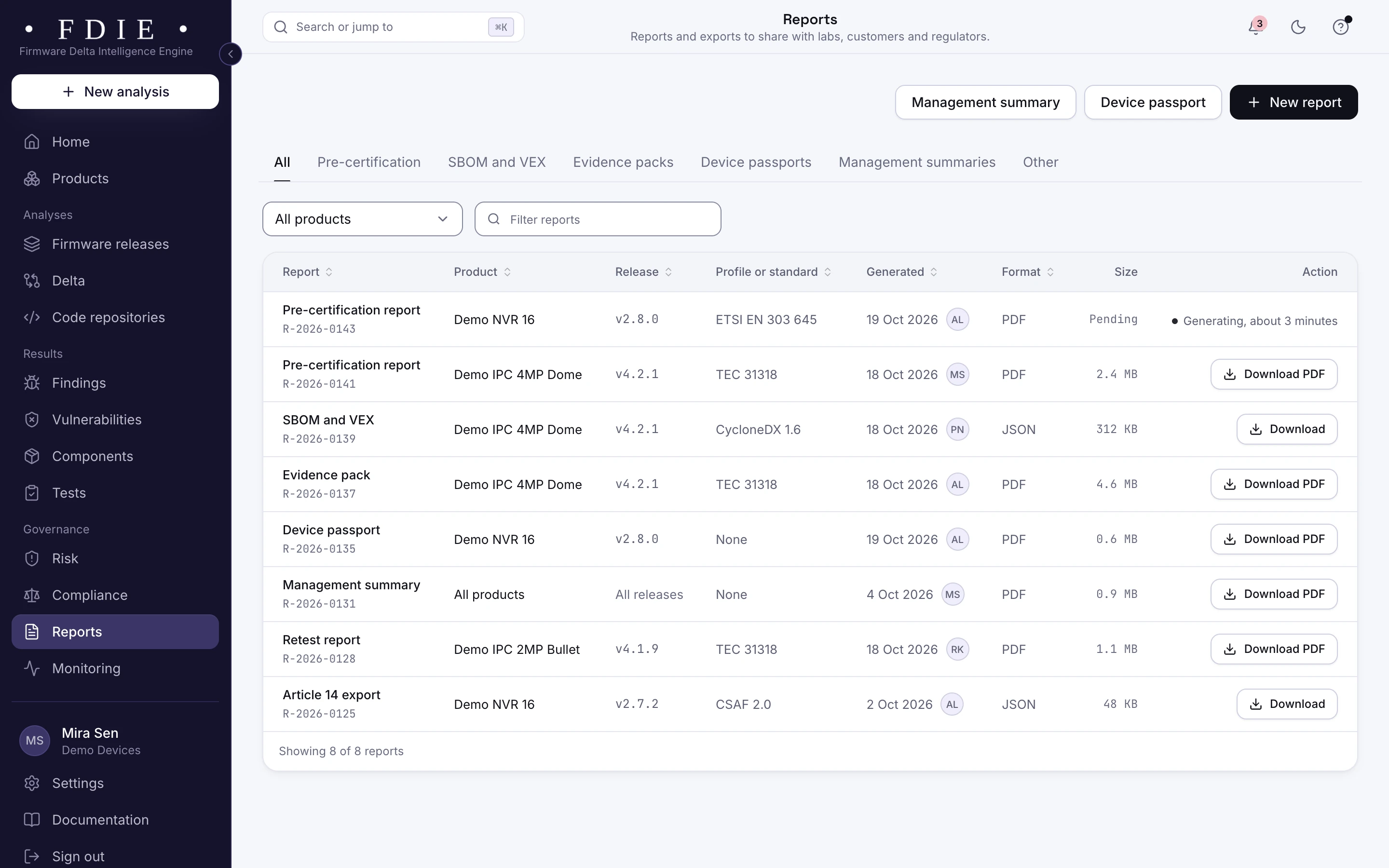
The reports list: pre-certification reports, SBOM and VEX, an evidence pack, a device passport, a management summary, a retest report and an Article 14 export, each with its product, release, standard, date, format and a download button.The same screen in the light theme.

How it works

From firmware image to evidence in four steps

  1. 1

    Analyse both releases

    Upload the release you shipped and the update, or let CI send each build.

  2. 2

    Compare

    Pick the two releases. FDIE lines up their components, vulnerabilities, functions, findings and checks.

  3. 3

    Read the patch states

    Fix verified needs nothing more, a patch candidate goes to an engineer to confirm, and still vulnerable goes back on the fix list.

  4. 4

    Ship with evidence

    Export the delta and retest reports, update VEX and let the release gate say ship or hold.

Rules by market

Rules this helps with

For products sold in the EU, the EU CRA requires vulnerabilities to be fixed through security updates and EN 18031 a secure way to deliver them. UK PSTI requires you to publish how long a product gets them, and ITSAR in India covers secure software updates.

Compliance by market

India

EU and UK

International

Evidence and gap finding, not certification: the lab or certification body decides.

Deliverables

What your team gets

  • Delta report

    What changed between two releases, as a signed PDF.

  • Retest report

    The previous release's open findings, checked on the new one.

  • Patch state for each vulnerability

    Fix verified, patch candidate or still vulnerable, read from the code.

  • Updated VEX

    Statements for the vulnerabilities the update fixed, in CycloneDX, OpenVEX or CSAF 2.0.

  • SBOM for each release

    The new release's components in CycloneDX 1.6 or SPDX 2.3.

  • Release gate in CI

    Ship or hold for the update, with the reasons.

Questions

Does it work when the version string did not change?

Yes. Patch checks read the code, so a backported fix shows even when the version stayed the same.

What does patch candidate mean?

The code changed where the fix would be, but the change cannot settle it on its own. Your team confirms it.

What do we need?

Two analysed releases of the same product: the one you shipped and the update.

Does a downgrade show up?

Yes. Components that moved to an older version are listed as downgraded, and vulnerabilities that came back are marked as regressed.

Is anything installed on a device?

No. Both releases are analysed from their images. Nothing is installed or run on a device.

Find out what the lab would flag in your firmware

A 45-minute call with our team. Bring one firmware image.

Request access