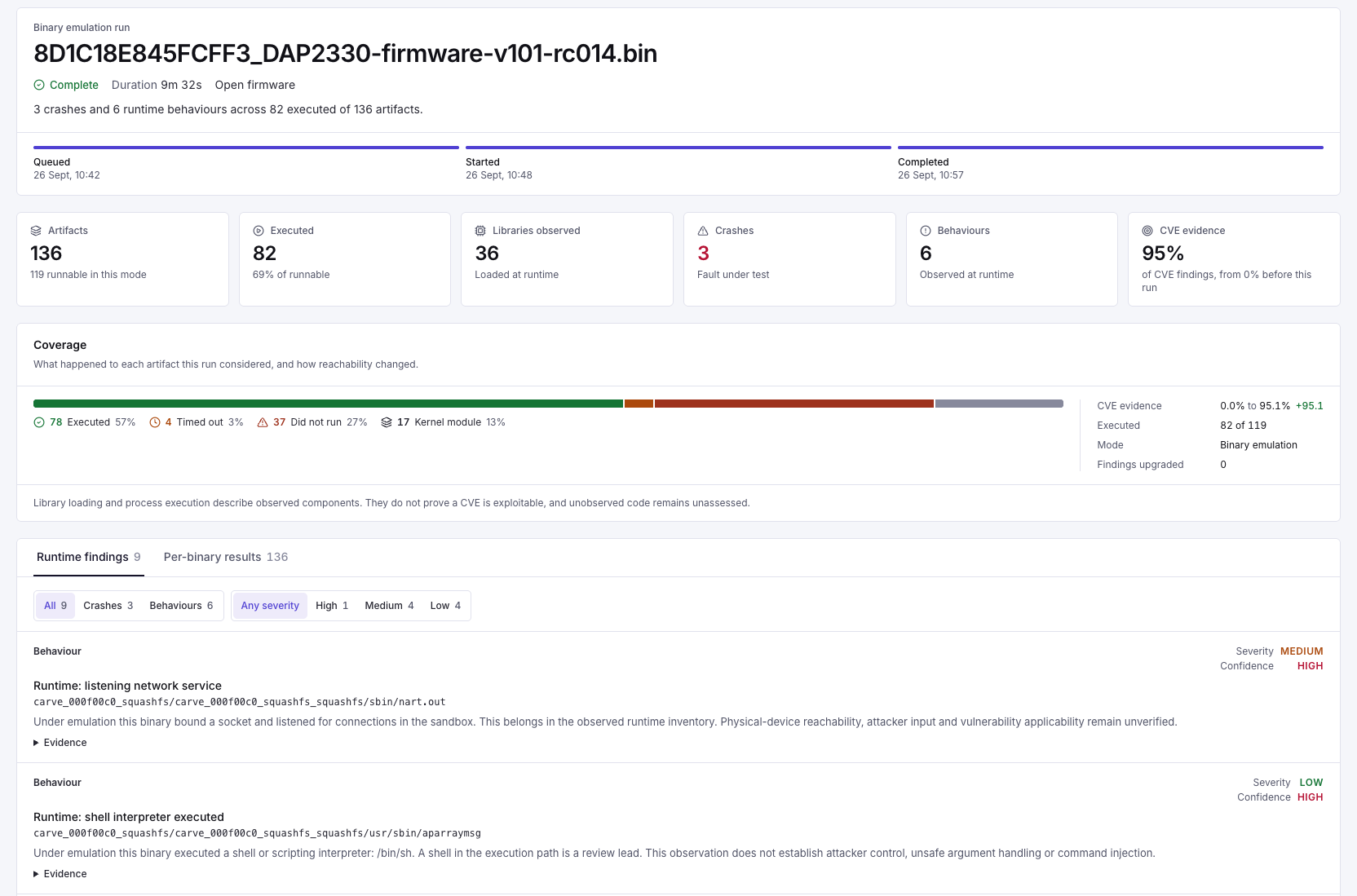
Run dynamic analysis only on authorised images in the deployment's supported modes. Per-binary execution, a Linux system boot (only where the deployment provides a compatible kernel) and a fuzzing campaign answer different questions. Record which was used, with the image identity, limits and coverage.
| Observation | Useful inference | What it does not establish |
|---|---|---|
| Library loaded | The component participated in this run | Exploitability of every CVE matched to it |
| Service listened | A socket was opened in the sandbox | Reachability or authentication state on the physical device |
| Shell executed | The process launched an interpreter | Attacker-controlled command injection |
| Crash observed | A target failed for the recorded input or environment | Security impact without reproduction and root-cause analysis |
| No behaviour observed | It was not seen in the bounded run | Absence from the firmware or safety of unexecuted paths |
Investigate and preserve context
- Review artifacts that timed out, failed to boot or could not execute.
- Reconcile summary counts with individual results before using them as coverage metrics.
- Keep reproducing inputs and traces in controlled storage; report exports can contain sensitive technical details.
- Use physical-device or manual testing for assumptions the sandbox cannot establish.
Prepare and review a bounded run
- Confirm the image is authorised for execution and the selected deployment supports the intended method.
- Identify whether the work is per-binary emulation, a Linux system boot (where available) or fuzzing, and retain the configured limits with the result.
- Check which targets executed and which failed, timed out or remained unsupported. Read individual results before interpreting summary totals.
- Connect an observation to its target and available input or trace. Reproduce candidate crashes and investigate their cause.
- Record what the run supports and the device-specific testing still required.
Handle reproduction material
Inputs, paths and traces can reveal sensitive implementation details or contain malicious content. Keep them in the assessment's controlled storage and transfer only the material needed by an authorised engineer. For potentially disruptive research, use an agreed isolated installation rather than repeated execution against shared hosting.