Extraction and component identity
FDIE recovers supported filesystems, archives, binaries and configuration. Component matching uses available linking metadata, strings, version banners and signatures. Proprietary names, removed symbols, static linking or encryption can leave identity or version unresolved. Inspect recovered paths and hashes alongside candidate matches.
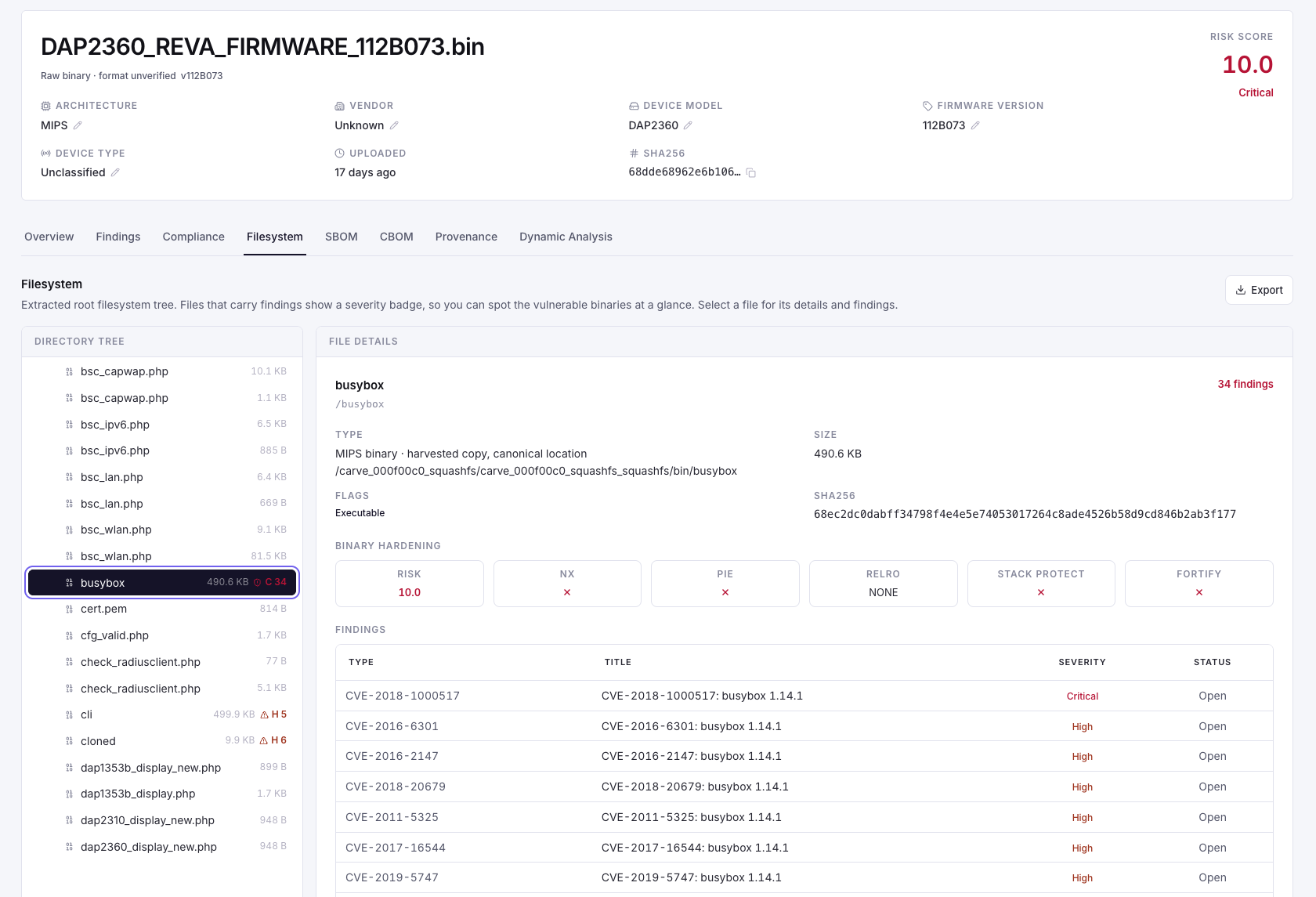
Vulnerability and security evidence
Candidate vulnerabilities are matched to identified components using available advisory and version information. CVSS describes severity; EPSS and the CISA KEV catalogue add prioritisation context. None of these alone proves that a particular device is exploitable. Feed age and identification uncertainty affect the result.
- Review credentials, cryptography, binary hardening, update mechanisms, secure boot, attack surface, known vulnerabilities, runtime behaviour and shipped-script findings.
- Inspect YARA indicators in context. A match is a review lead; no match does not establish that firmware is malware-free.
- Confirm version ranges, product identity, vendor backports and device configuration before marking a match applicable or not affected.
- Record missing extraction, unsupported analysis and failed stages explicitly.
Triage and ownership
Retain the analyst's decision, explanation and available evidence. A risk score helps order work; it does not replace a release decision. Where the output is incomplete, state the additional manual or hardware testing needed. Keep sensitive paths, recovered credentials and evidence artifacts within approved recipients.
Walk through a candidate component vulnerability
- Select the assessed image and inspect the component name, version confidence and recovered location.
- Read the advisory and affected version range. Check vendor backports or product-specific naming before concluding that a version match is applicable.
- Inspect relevant binary or runtime evidence, where available, and note what the assessment did not observe.
- Record the analyst's disposition, supporting reason and necessary engineering follow-up.
- After remediation, analyse the candidate release and verify the relevant change. Retain the new decision with the new image.
When two counts disagree
Check what each count measures: finding occurrences across several images, unique advisory identifiers, assessed controls and executed targets are different populations. A dashboard total and an individual image view may use different scope. Resolve that scope before using either figure in a release report.