Build a comparable baseline
- Select two analysed images from the same product family and verify their version labels and hashes.
- Read extraction, component identification, engine and feed context on both assessments.
- Review added, removed and changed components, known dependencies and binary/function changes.
- Check whether differences arise from new firmware, changed intelligence or newly available analysis coverage.
Review carry-forward suggestions
FDIE can offer an earlier vulnerability disposition with its recorded rationale. An analyst decides whether it remains valid for the new component, version and coverage. It is not automatically reapplied. Unknown identity or missing function evidence should remain visible in the decision.
Confirm a patch
Inspect the relevant code path and available vendor evidence, including backports and rebuilt binaries with unchanged version strings. A function change, version bump or absent finding alone is not proof of remediation. Add a targeted verification result where appropriate, then record the reviewed decision in the new release evidence.
A release-pair review, step by step
- Choose the baseline and candidate from the same intended product lineage; confirm their image identities and version labels.
- Inspect extraction and assessment completeness for both images, then note changes in engine or intelligence context.
- Review added, removed and changed components. Check whether a missing finding is caused by the component change or by a difference in identification or coverage.
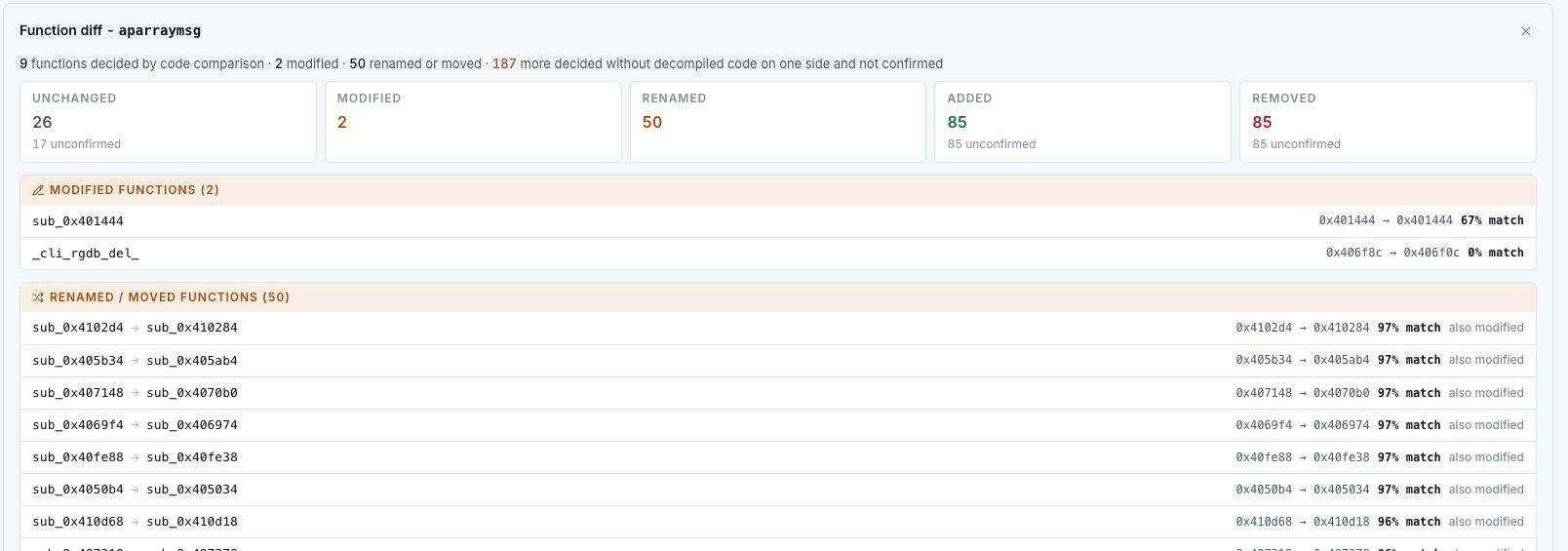
- Open relevant FunctionDiff candidates and inspect the available evidence on both sides. Leave one-sided or unconfirmed comparisons provisional.
- Read any earlier triage suggestion and decide whether its reason remains valid. Record the current release's disposition.
- Keep the reviewed delta and appropriate exports with the release decision.
Troubleshoot an unexpected delta
First compare scope: the correct product pair, the available files, component identities and assessment versions. A large set of changes can reflect a rebuild or different extraction, while a small set can still contain an important patch. Use vulnerability-specific evidence instead of treating either count as the result of the security review.