Public product captures with explanations of what each view shows and what needs review.
Guide type: Product guide
In this guide+
These reviewed captures show example workflows from earlier FDIE builds and sample firmware. They contain no sign-in credentials or customer account records. Labels, counts and layouts can differ from the current application. The annotations are part of the evidence: screenshots alone are not benchmarks, independent vendor findings or certification.
Security overview
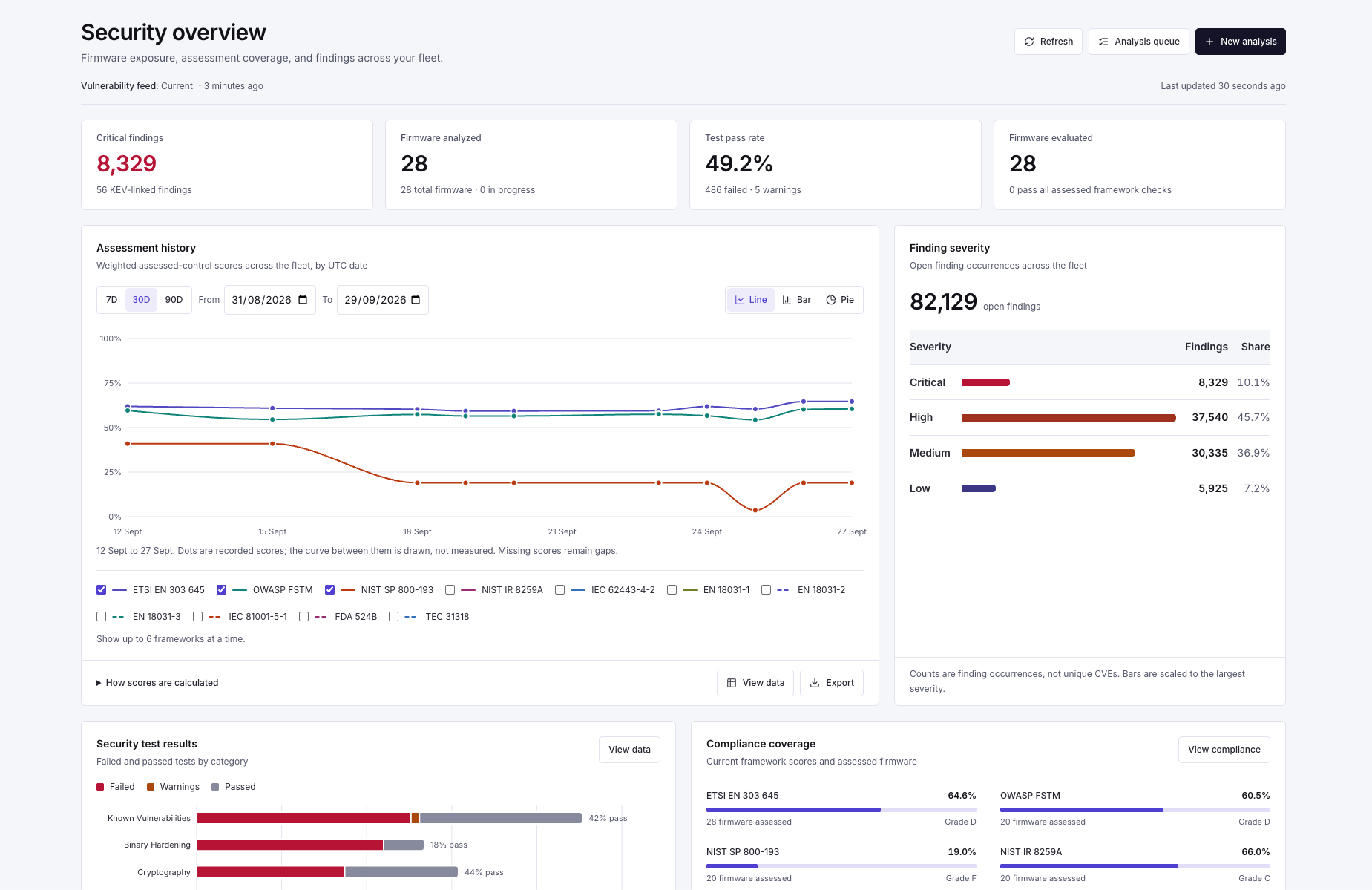
Security overview · Sample product captureSample assessment history and finding occurrences across a firmware library. Counts can include the same vulnerability in multiple images; they are not unique CVEs, a detection benchmark or current statements about a vendor.Select the image to view it at full size in a new tab.
Firmware library
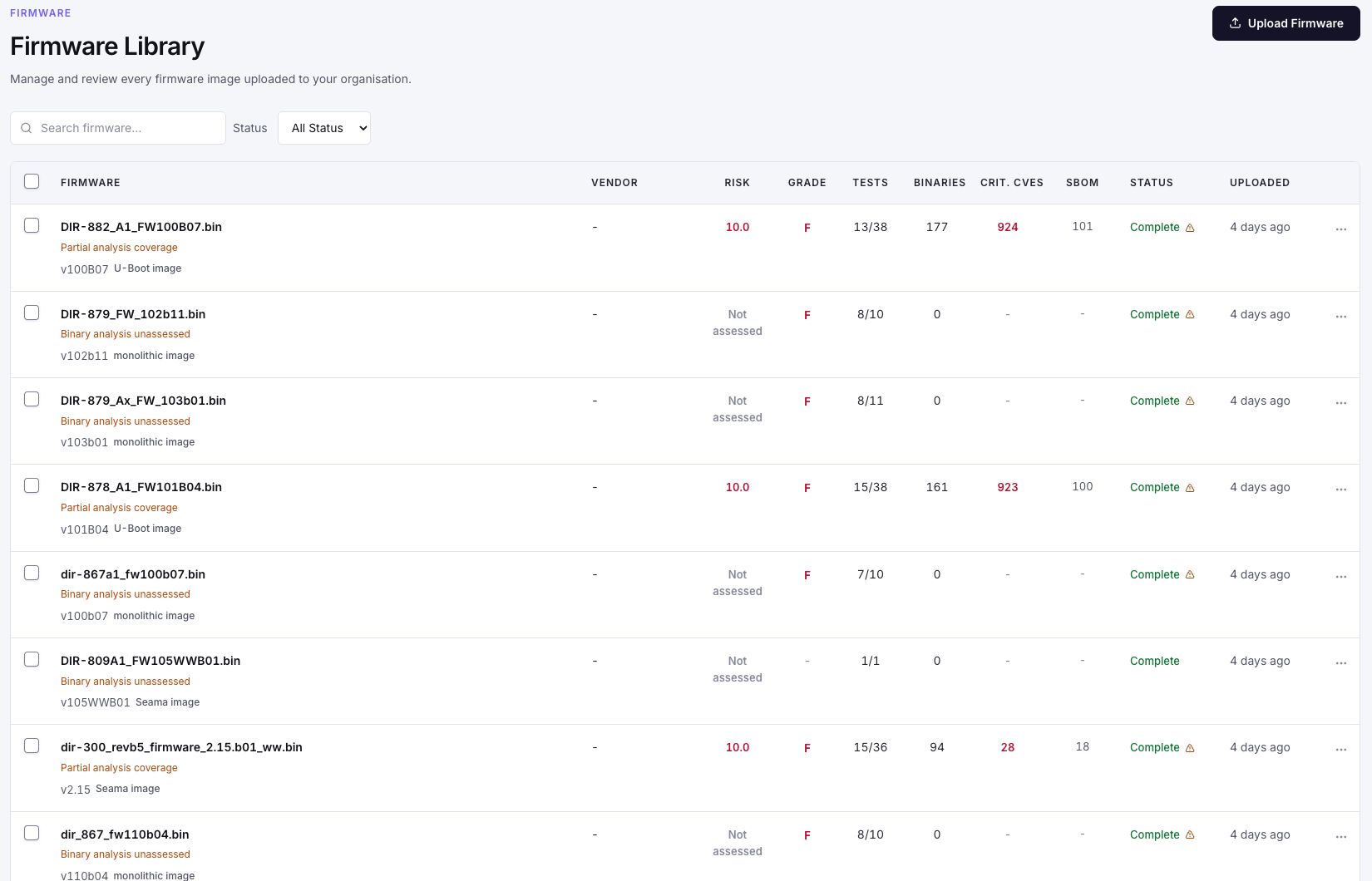
Firmware library · Sample product captureA completed processing job can still have partial or unassessed analysis. Review the coverage labels before relying on a risk score or comparing releases.Select the image to view it at full size in a new tab.
Analysis queue
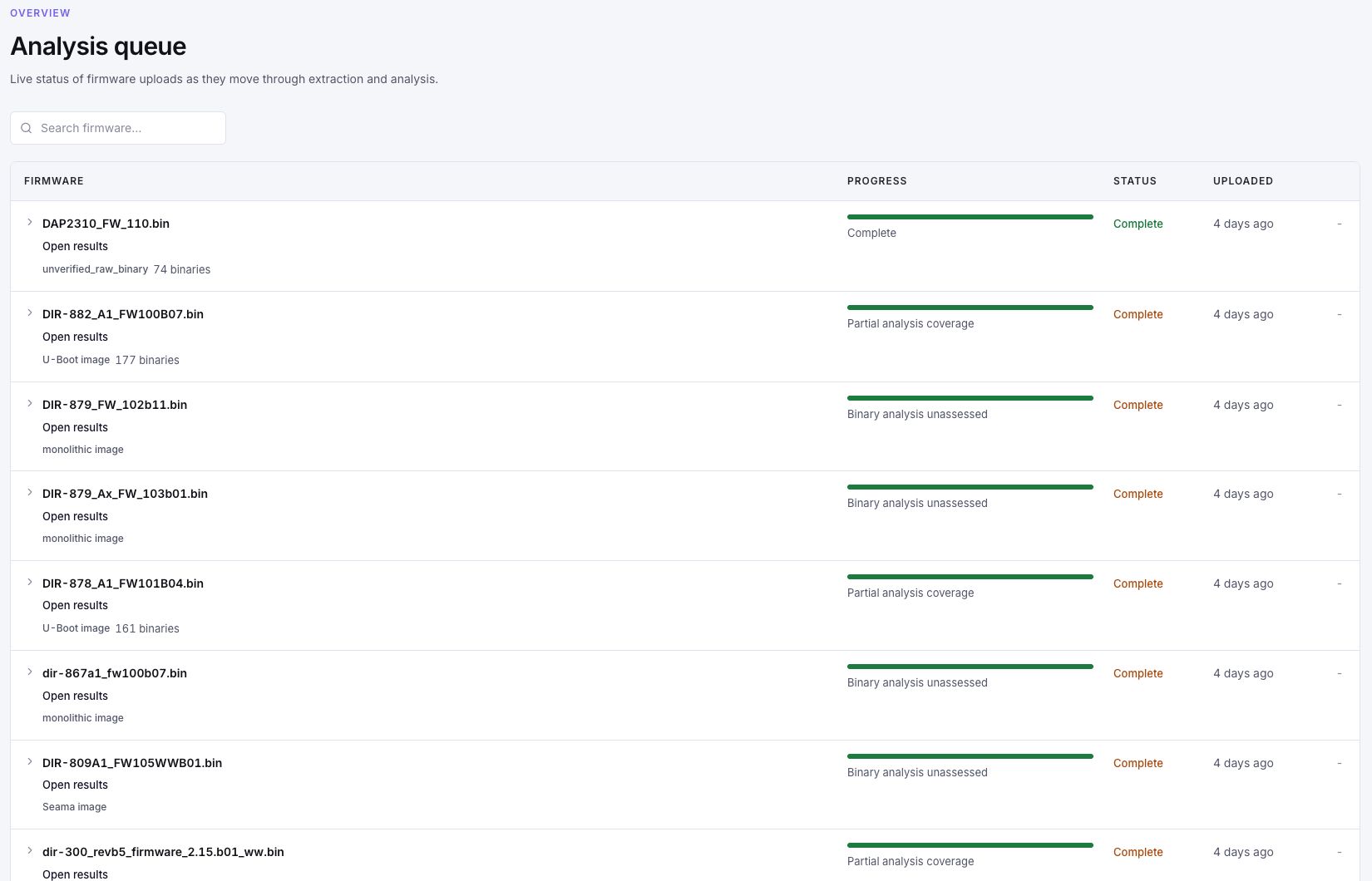
Analysis queue · Sample product captureQueue completion describes processing status. It does not mean every requested security check ran or that the firmware is secure.Select the image to view it at full size in a new tab.
Filesystem evidence
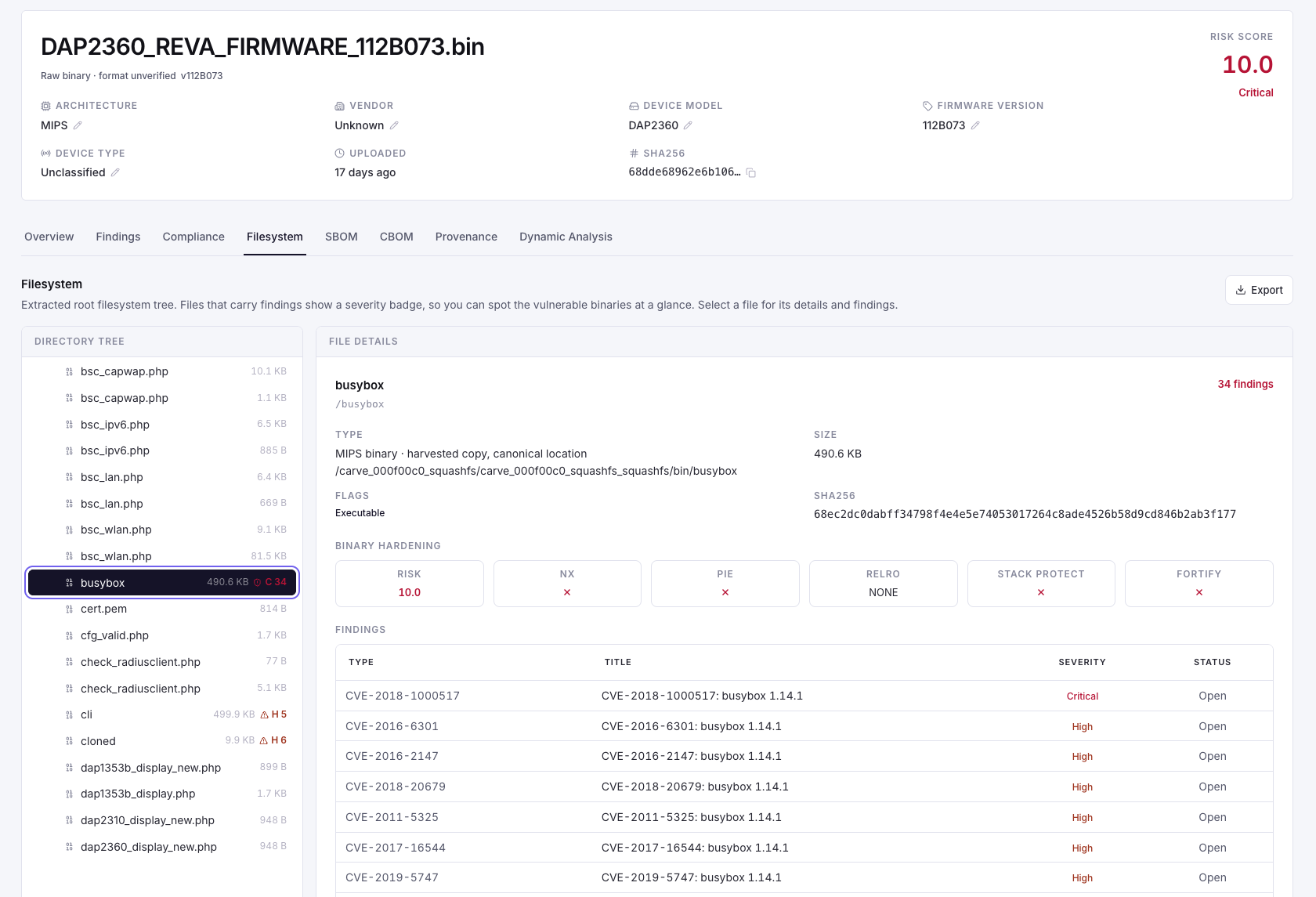
Filesystem evidence · Sample product captureHistoric sample image: recovered paths, file identity and candidate matches provide a starting point for review. The screenshot is not an independently validated vulnerability report or a claim about a current vendor release.Select the image to view it at full size in a new tab.
Function comparison
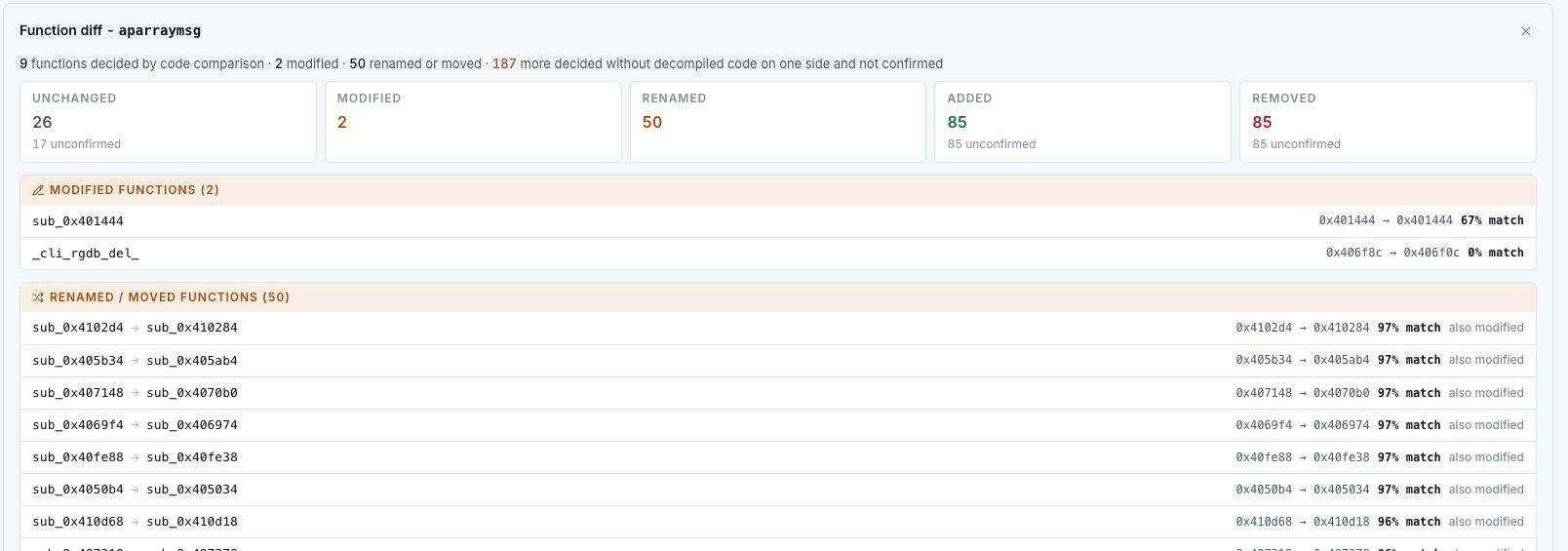
Function comparison · Sample product captureThe sample includes comparisons without decompiled code on one side. Unconfirmed matches remain provisional; changed bytes are not proof that a vulnerability was fixed.Select the image to view it at full size in a new tab.
Runtime evidence
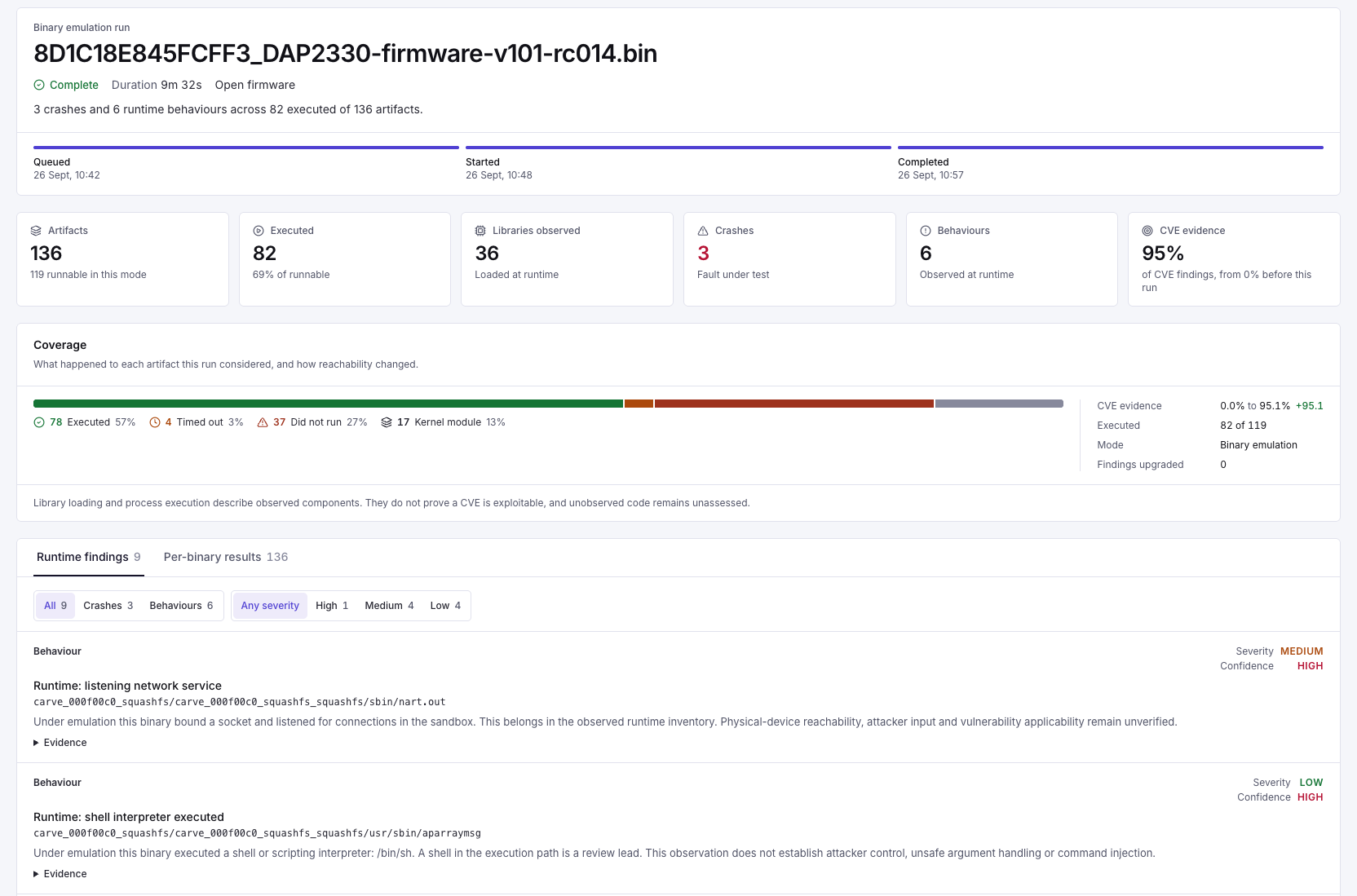
Runtime evidence · Sample product capturePer-binary emulation evidence from a historic sample run. The view mixes execution and timeout counts, which need reconciliation before use as metrics. A listening service or shell launch does not prove attacker reachability or command injection.Select the image to view it at full size in a new tab.
Framework coverage
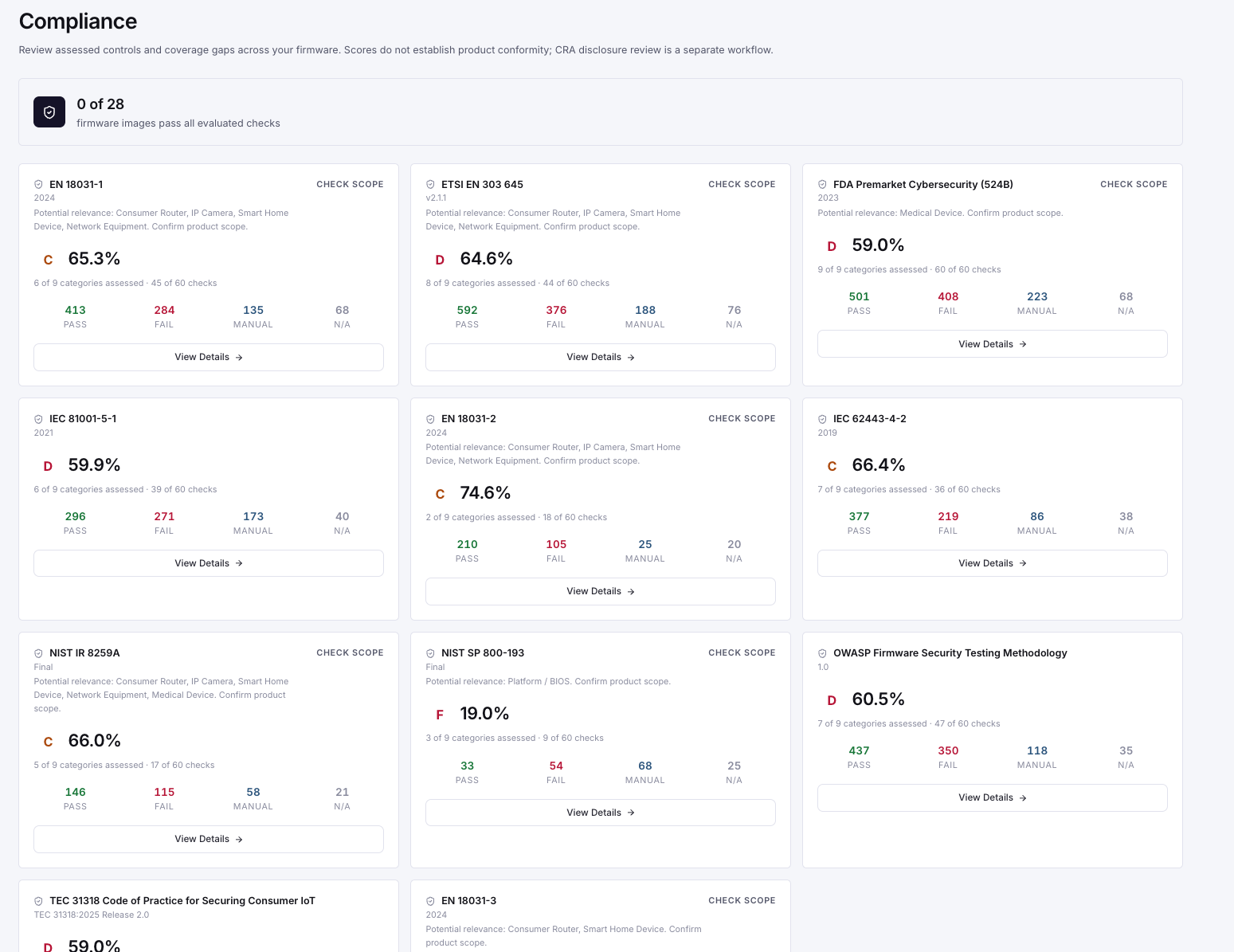
Framework coverage · Sample product captureIllustrative framework coverage. Grades and sample totals are not conformity certificates; review assessment scope and the underlying checks. CRA disclosure review is separate.Select the image to view it at full size in a new tab.
Control checklist
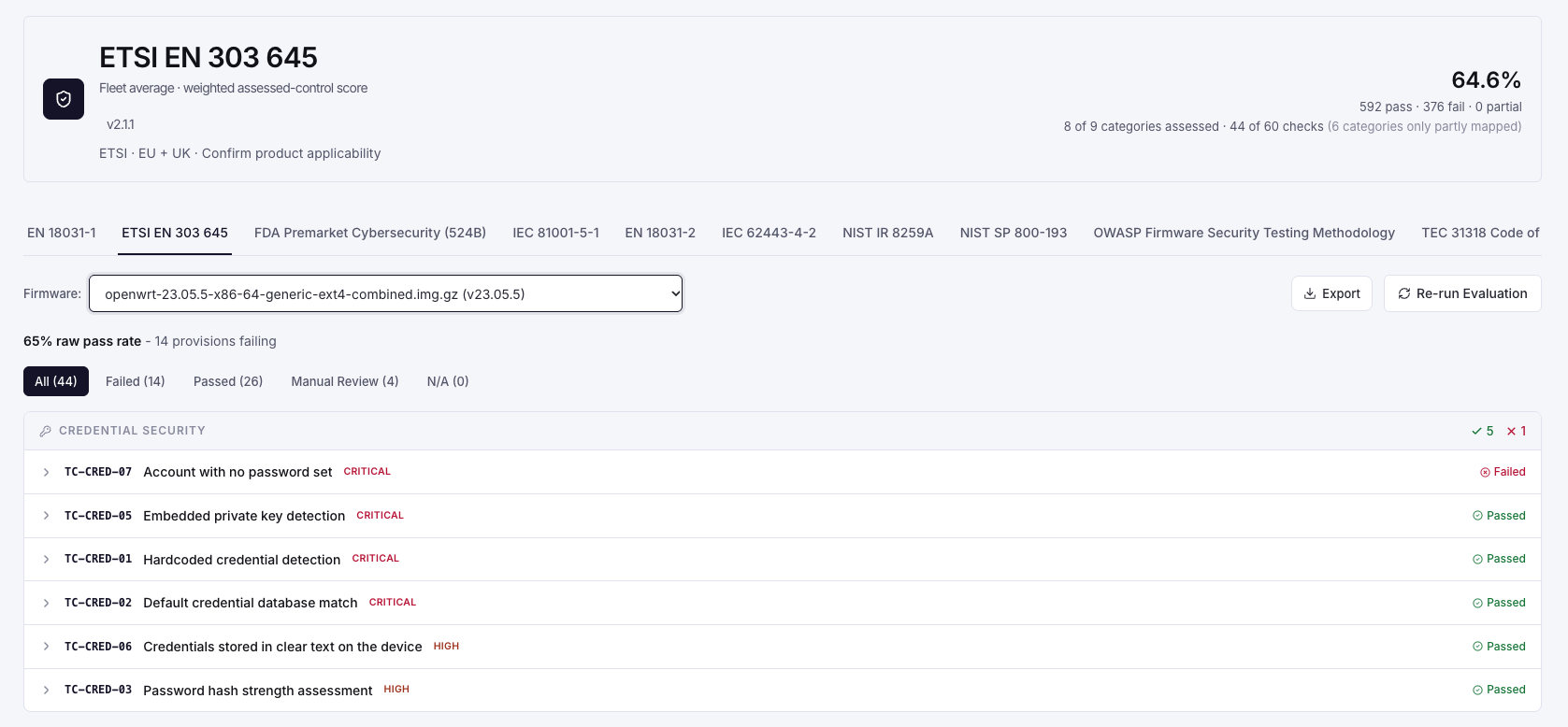
Control checklist · Sample product captureThe fleet's weighted score and the selected image's raw pass rate have different denominators. Use the individual evidence and assessment scope, rather than comparing these percentages directly.Select the image to view it at full size in a new tab.
Use the walkthrough as an evaluation route
Start at the firmware library, open an image and follow a finding back to its filesystem or binary evidence. Move to a related release comparison, then inspect the framework checks or export relevant to your task. The historical screenshots explain the workflow; validate current behaviour against the deployed release you are evaluating.
Find the assessment scope before using a summary score.
Inspect at least one underlying evidence record.
Check whether the comparison or runtime result is confirmed or provisional.
Confirm the artifact your engineering or assessment team needs can be reviewed and exported.